
Using the Multi-Language Feature
PartnerPortal translates the portal interface so partners across different regions can work in the language they know best. Every portal includes it, on every plan, and there is nothing to turn on. Each user chooses their own language, so one partner can work in Spanish while another works in German on the same portal.
Supported Languages
Section titled “Supported Languages”PartnerPortal currently offers:
- English
- Spanish
- French
- German
- Ukrainian
- Chinese (Simplified)
- Japanese
- Korean
Need another language? We can add additional languages on request. Contact [email protected] and tell us which language you need.
Switching Languages
Section titled “Switching Languages”The language selector sits in the lower right corner of every portal page. Select it to see the list of available languages and pick one.
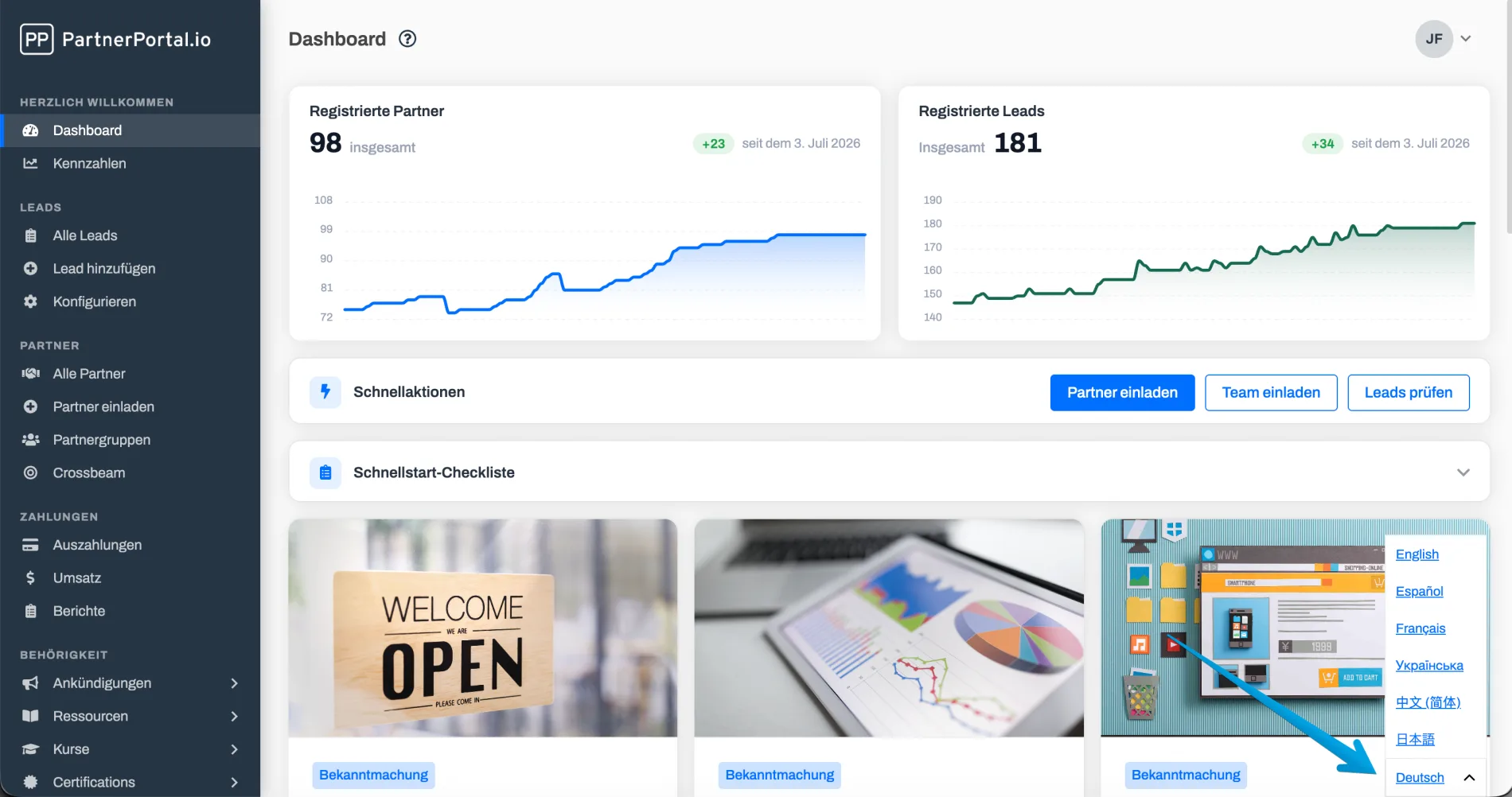
A few things to know:
- Each user chooses their own language. The selection belongs to the person who is signed in, not to the portal. An admin’s choice does not change what partners see, and one partner’s choice does not affect another.
- The choice is saved to the user’s account. Once a signed-in user picks a language, the portal remembers it across visits and across devices.
- New visitors get a sensible default. Before a user has picked a language, the portal uses the language of their browser when it is one of the supported languages. Otherwise it uses English.
- Admins can set a portal-wide default instead. The Default Language card on Portal Setup -> Other picks the language the portal opens in for everyone who has not chosen one, in place of the browser language. See Default Language.
What Gets Translated
Section titled “What Gets Translated”Translation covers the built-in product text: navigation, page titles, buttons, form labels, status messages, and other interface elements.
Emails follow the same rule. The standard text of PartnerPortal’s notification emails is sent in the recipient’s chosen language. A partner who uses French in the portal receives French notification emails.
What Is Not Translated
Section titled “What Is Not Translated”Content you write yourself is shown exactly as you wrote it. The portal does not machine-translate it. That includes:
- announcements, resources, courses and quizzes
- your program terms and program description
- partner, lead and company names, and any notes or custom fields
- your customized email wording (see Emails and Languages)
If your partners work in several languages, consider writing announcements and resources in the languages your partners use, or keeping them short and simple.