
Program Description & Terms
The Program Details screen shapes the first impression partners get of your program. Use it to explain what your program offers, who it is for, and what partners are agreeing to when they join.
Open it from Portal Setup -> Program Details.
Program Description
Section titled “Program Description”Use Program Description to explain how your program works, what partners can expect, and how you want to position the relationship.
On this card, you can:
- turn the description on or off
- edit the description with a rich-text editor
- choose whether it appears on the public login page
Open Portal Setup -> Program Details.
In Program Description, turn on Enable Program Description.
Click Edit and write the overview you want partners and applicants to read.
If you want prospective partners to see it before signing in, turn on Show on Public Login Page.
Save your changes.
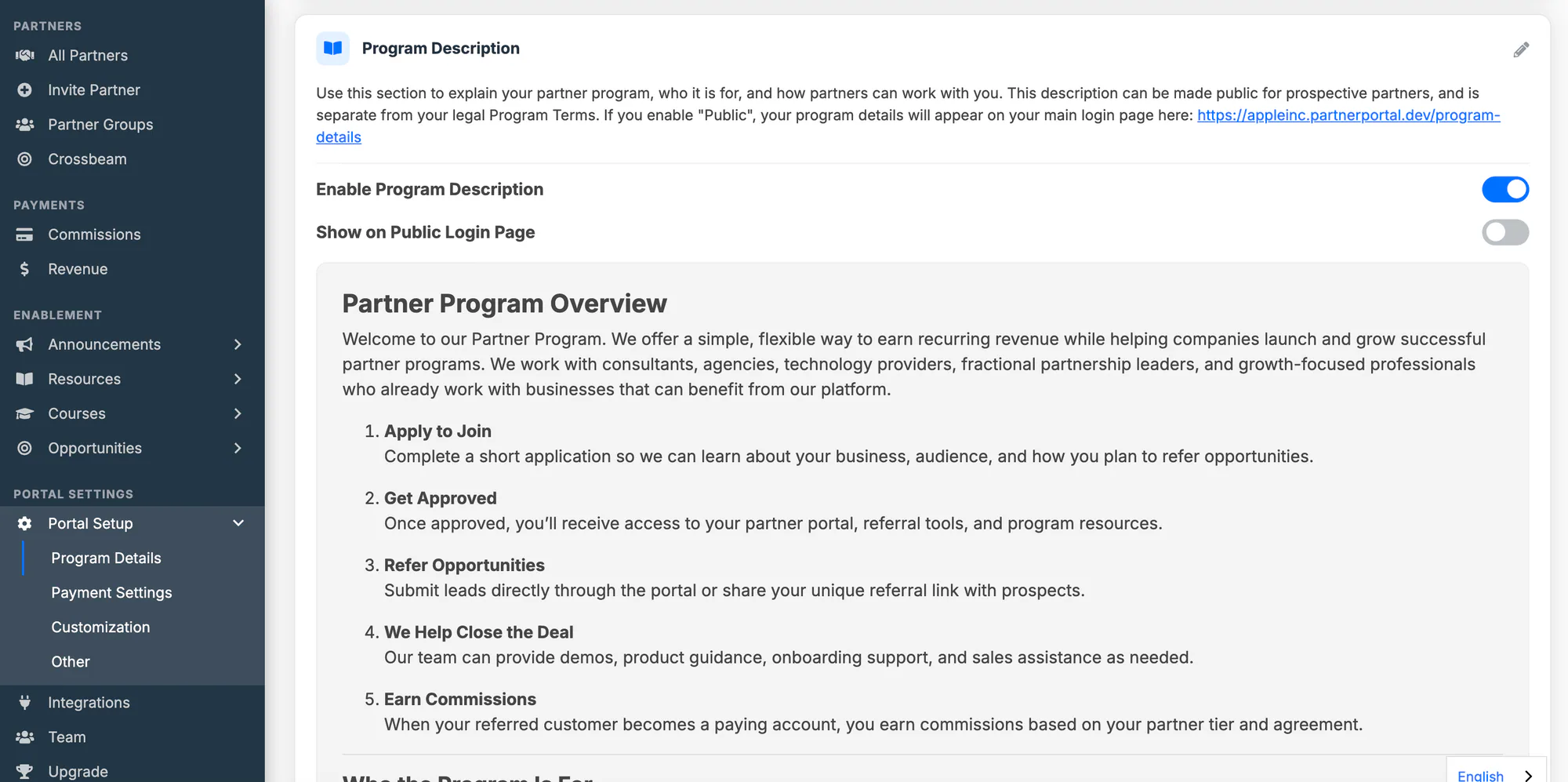
When Program Description is disabled, the content remains saved but is not shown publicly.
Program Terms
Section titled “Program Terms”Use Program Terms for the legal language your partners agree to. These are your program-wide terms, shown on the public registration screen and inside the portal.
On this card, you can:
- enable or disable terms for the whole portal
- edit the legal terms in a rich-text editor
- require partners to agree before they can use the portal
- ask partners to re-accept when you change the terms
Open Portal Setup -> Program Details.
In Program Terms, turn on Enable Program Terms.
Click Edit and enter the legal terms you want partners to accept.
Save your changes.
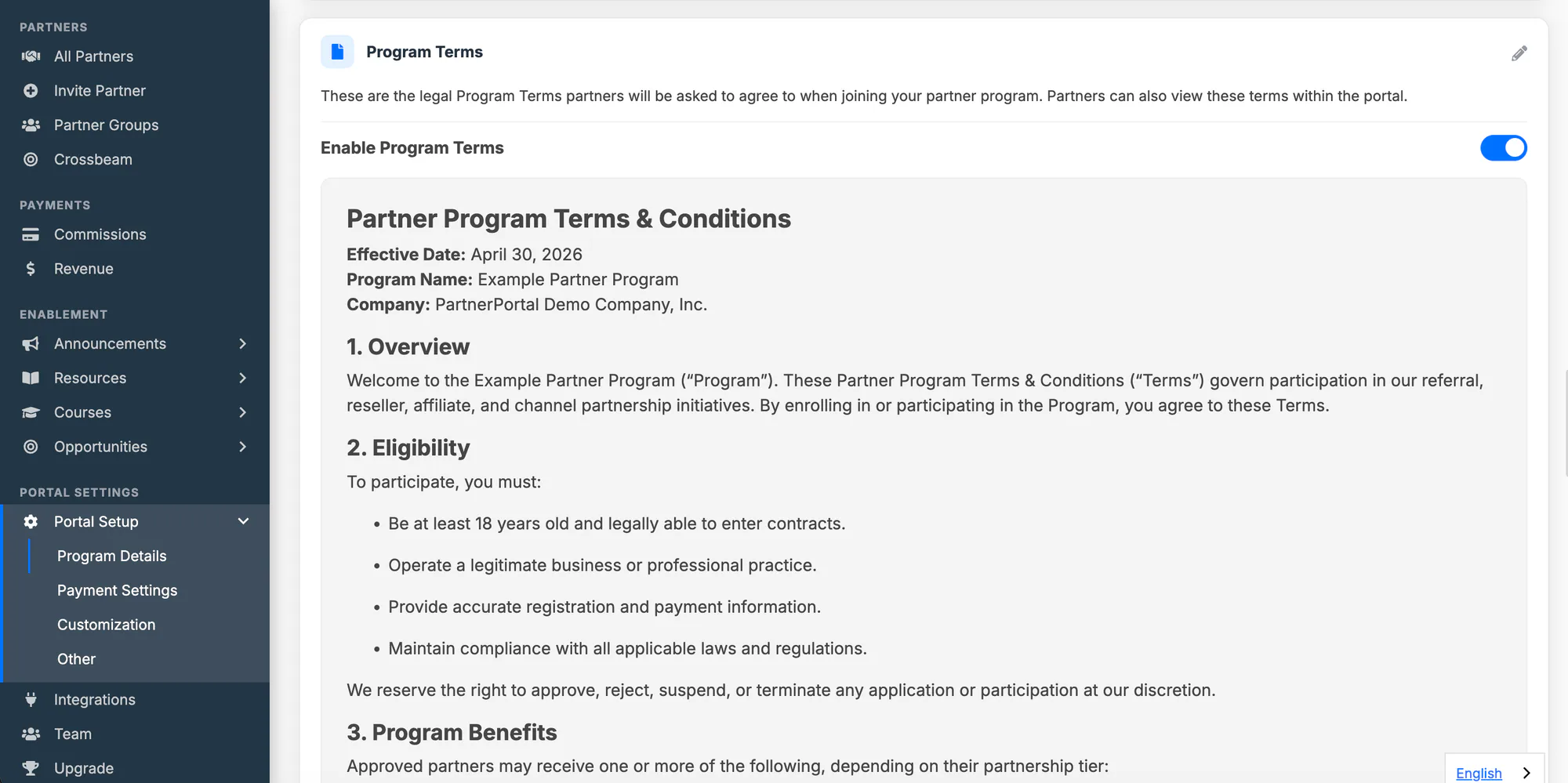
When Program Terms are disabled, partners only see PartnerPortal’s own default terms of service during registration.
Require Partners to Agree
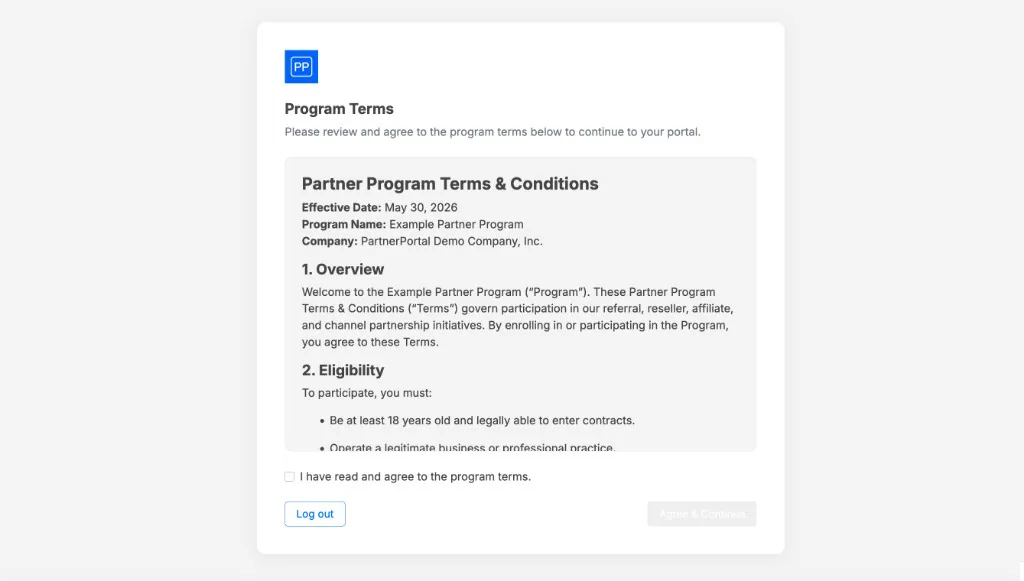
Section titled “Require Partners to Agree”When Enable Program Terms is on, you can also turn on Require partners to agree. This turns your terms into a real gate rather than just displayed text.
- Partners who apply through your registration screen must check the agreement box before they can submit.
- Partners you invite directly must accept your terms the next time they sign in, on a full-screen prompt, before they can reach the portal.
- PartnerPortal records who agreed and to which version of the terms, so you keep a durable record of consent.
Update Terms and Ask Partners to Re-accept
Section titled “Update Terms and Ask Partners to Re-accept”Every time you change the terms content and save, PartnerPortal notes it as a new version. If partners have already agreed, you decide whether the change requires them to re-accept:
- Choose require re-acceptance for a substantive change, and partners who already agreed are prompted to accept the new version at their next login.
- Choose just save for a minor fix, such as a typo, and no one is re-prompted.
The first time you enable terms, agreement is always required, because there is no earlier version to compare against.
See Who Agreed and When
Section titled “See Who Agreed and When”Open a partner from Partners and scroll to the Terms History card. It lists every time that partner accepted your terms: when, who accepted, whether it was your program terms or a group’s terms, and the version. Click View terms to see the exact text they agreed to, and Download to save it as a file — useful if a partner’s agreement is ever questioned.
A few things to know:
- Acceptance covers the whole partner. One owner accepts on behalf of everyone at the partner, so only that person is listed.
- The history starts from when PartnerPortal began keeping these records. For partners who accepted before then, the partner’s Date Terms Accepted field is the only record.
- You can also retrieve this history through the Public API.
Terms for Specific Partner Groups
Section titled “Terms for Specific Partner Groups”Program Terms are your portal-wide default. If a specific tier or partner type needs a different agreement, you can set Program Terms on a partner group that replace your portal-wide terms for that group’s members. Versioning and the agreement gate work the same way, just scoped to the group.
For setup, see Group Program Terms.
If you are looking for commission setup, use Set Up Commission Tiers. To choose whether partners are compensated on commission, on margin, or not at all, use the Partner Model card at the bottom of this screen — see How Reseller Partners Work and How Non-commercial Partners Work.