
How to Customize Lead Phases
To customize the lead phases in your portal, go to Configure under Leads in your sidebar. Scroll to the Lead Phases section and select the pencil icon to edit your phases.
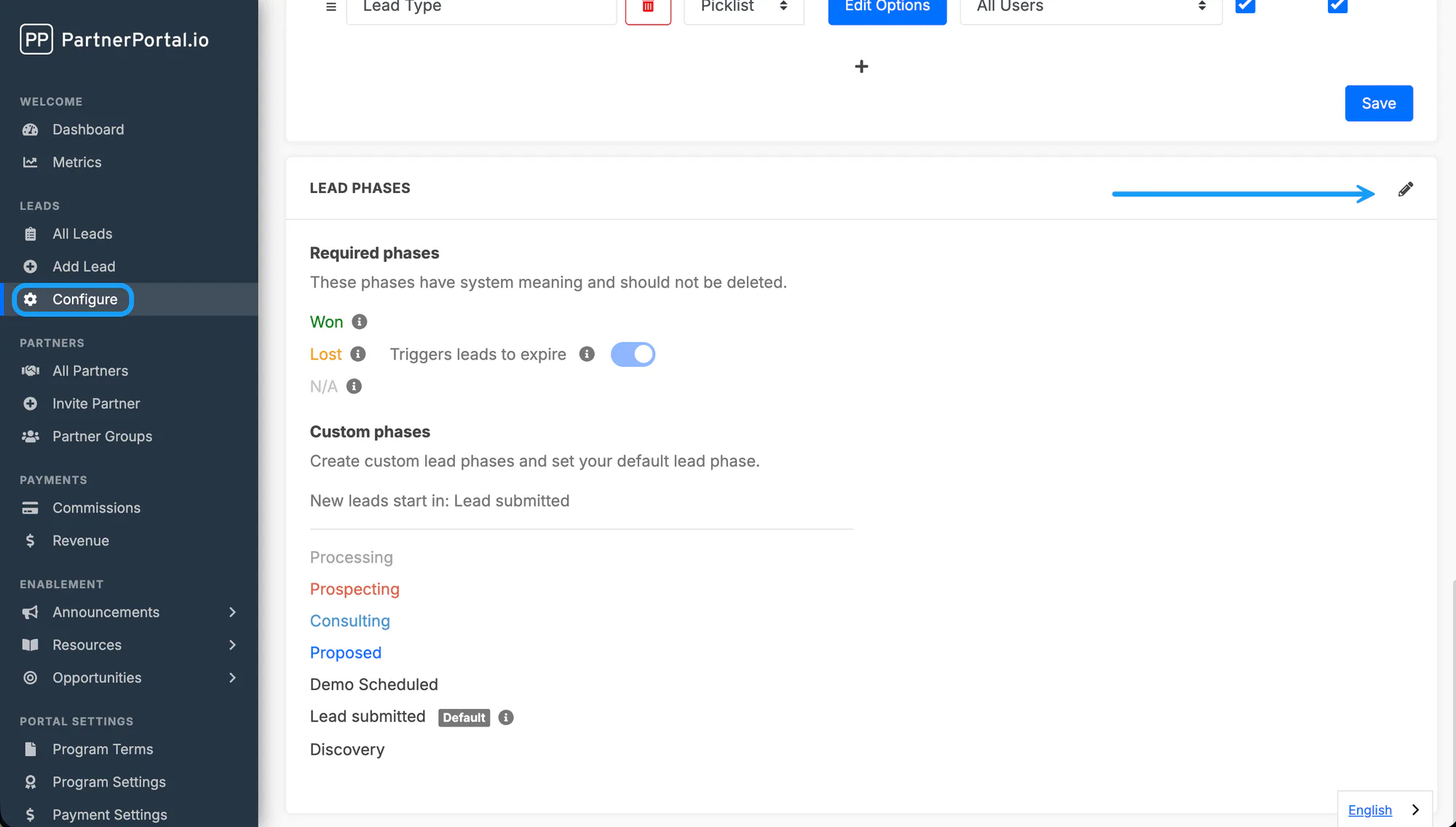
From here you can:
- Add new lead phases
- Delete unused lead phases
- Set a default phase for new leads
Deleting Lead Phases
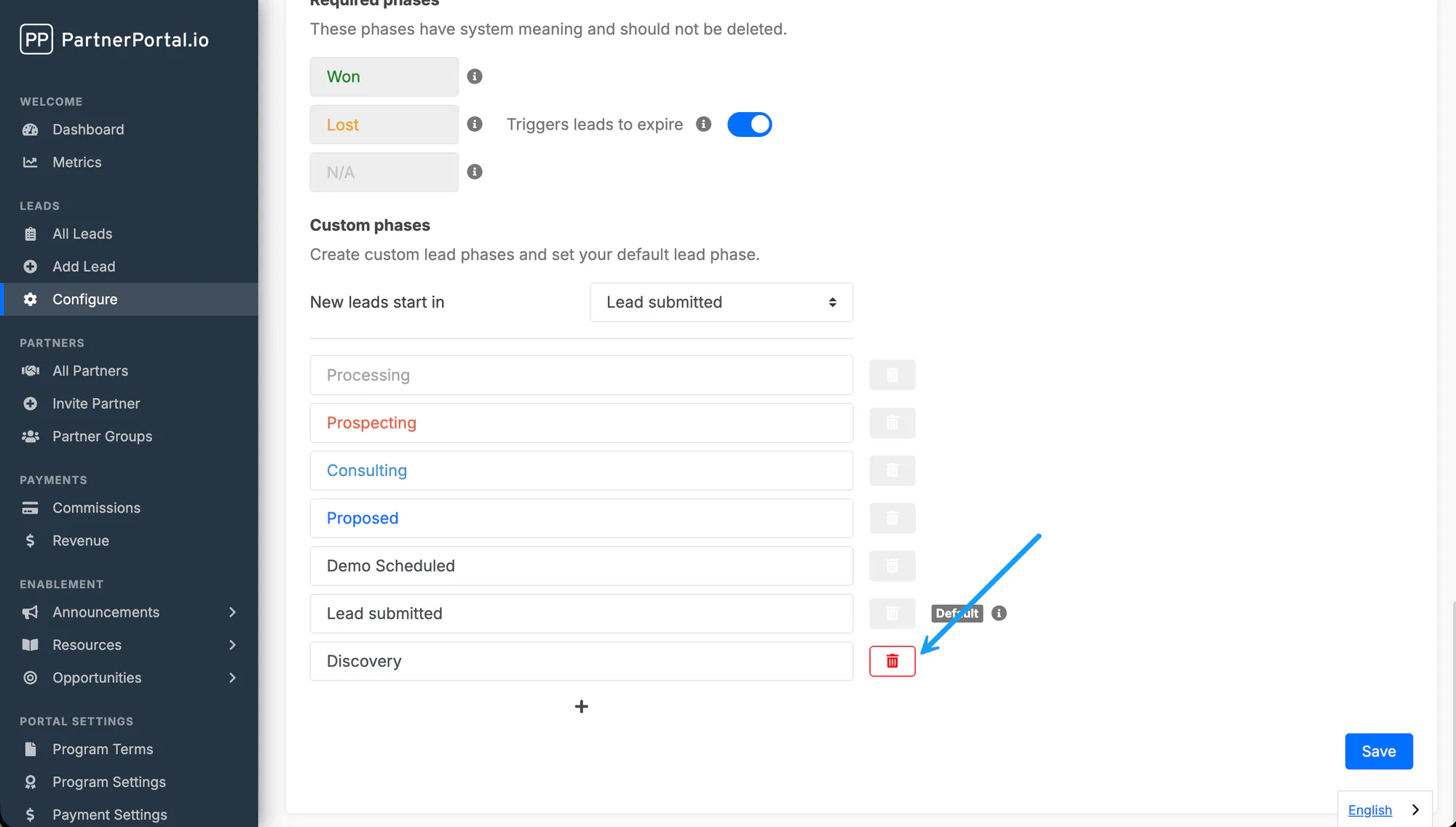
Section titled “Deleting Lead Phases”Lead phases can be deleted if they aren’t currently in use. To delete a phase, click the trash icon next to the field.
Please note:
- A phase can’t be deleted if a lead is currently assigned to it.
- The default phase can’t be deleted.
- Some phases are required and must remain in place.
Setting a Default Phase
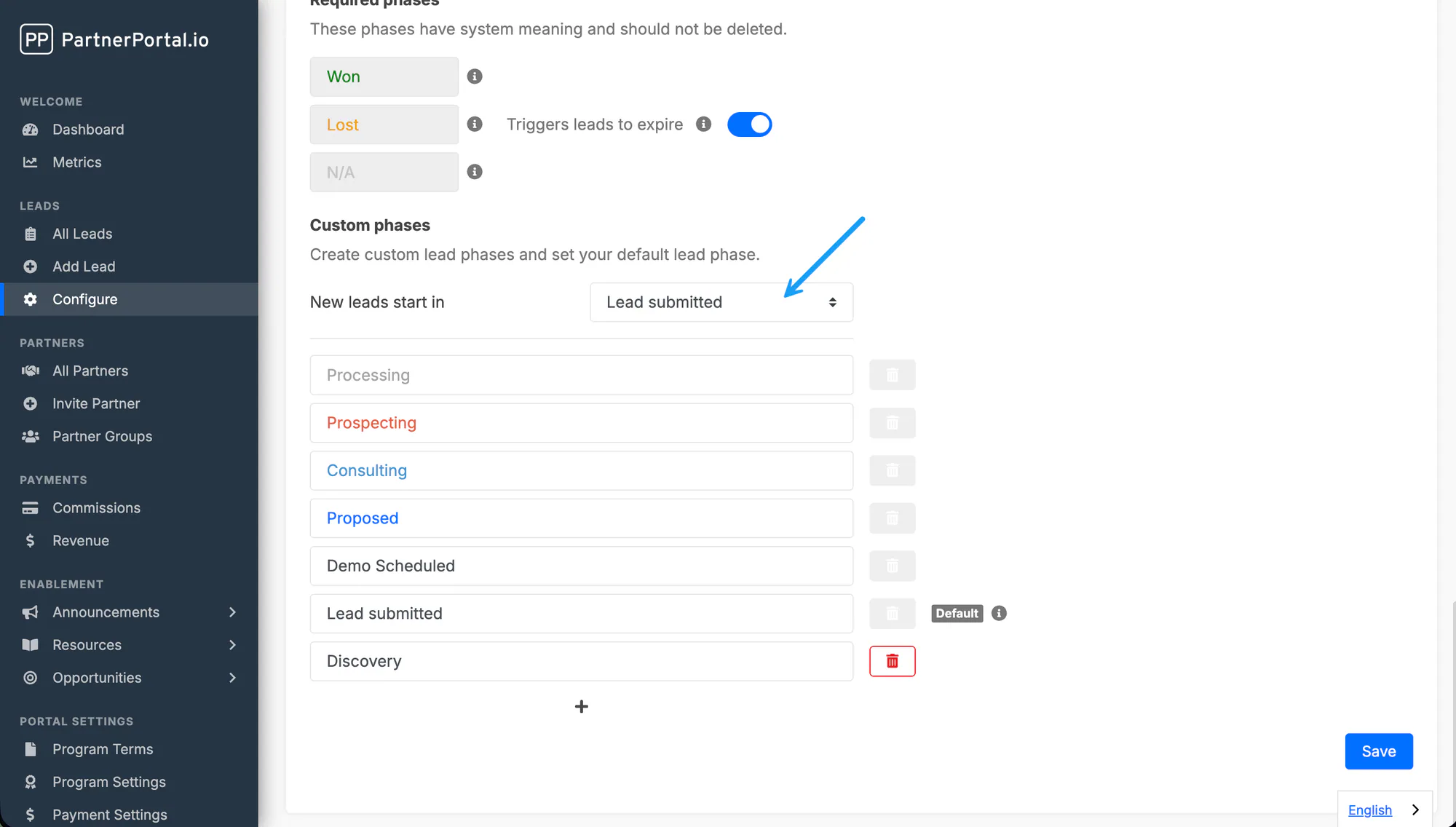
Section titled “Setting a Default Phase”You can choose which phase new leads start in by setting a default phase. All newly submitted leads start in this phase and remain there while Pending.
Phases and Your CRM
Section titled “Phases and Your CRM”Any phase customization connected to your CRM only applies once a lead has been mapped.
If you delete a lead phase that’s currently mapped to your CRM, phase updates from the CRM will no longer apply to that deleted phase, and a CRM error is triggered instead.
Automatic Lead Expiration
Section titled “Automatic Lead Expiration”Two switches in the Lead Phases card expire leads for you. Both are off until you turn them on. An expired lead shows the Expired status, and the partner is notified by email.
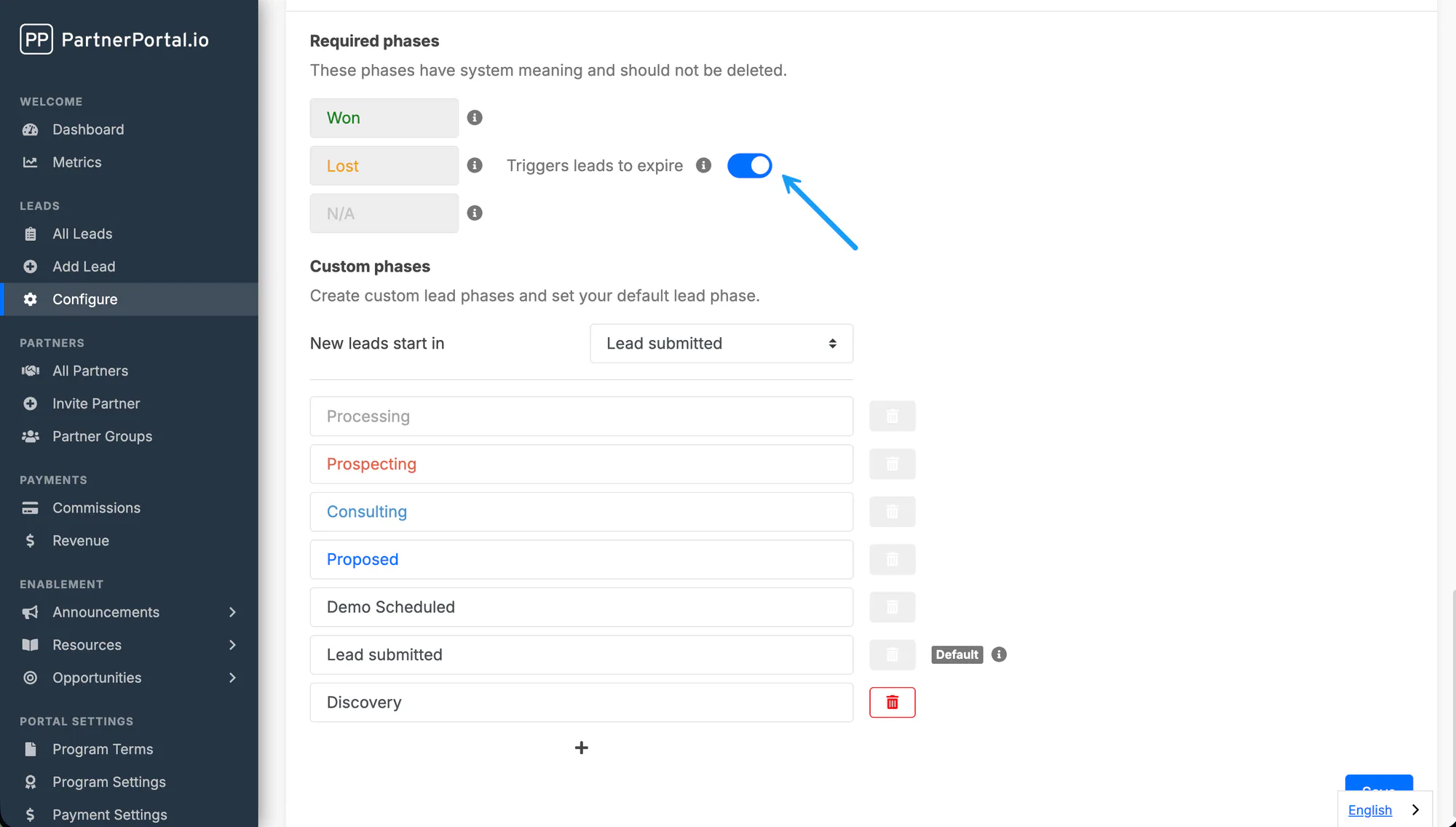
Leads moved to Lost expire
Section titled “Leads moved to Lost expire”When this is on, a lead moved to the Lost phase is expired at the same time. The move can be manual or come from your CRM, if your CRM stages are mapped to Lost. If you prefer to expire lost leads by hand, leave it off.
Inactive open leads expire
Section titled “Inactive open leads expire”When this is on, leads that sit in an open phase with no changes for the number of days you set are expired by a nightly run. Any edit to the lead, a phase change or a CRM sync resets the clock. Comments on the lead do not.
- Applies to pending, approved and active leads in any phase other than Won, Lost and N/A.
- Won and Lost leads are never expired by this rule.
- Turning the switch on, or shortening the window, expires every lead already past it on the next nightly run. The app tells you how many before you save.