
Program Description & Terms
The Program Details screen shapes the first impression partners get of your program. Use it to explain what your program offers, who it is for, and what partners are agreeing to when they join.
Open it from Portal Setup -> Program Details.
Program Description
Section titled “Program Description”Use Program Description to explain how your program works, what partners can expect, and how you want to position the relationship.
On this card, you can:
- turn the description on or off
- edit the description with a rich-text editor
- choose whether it appears on the public login page
Open Portal Setup -> Program Details.
In Program Description, turn on Enable Program Description.
Click Edit and write the overview you want partners and applicants to read.
If you want prospective partners to see it before signing in, turn on Show on Public Login Page.
Save your changes.
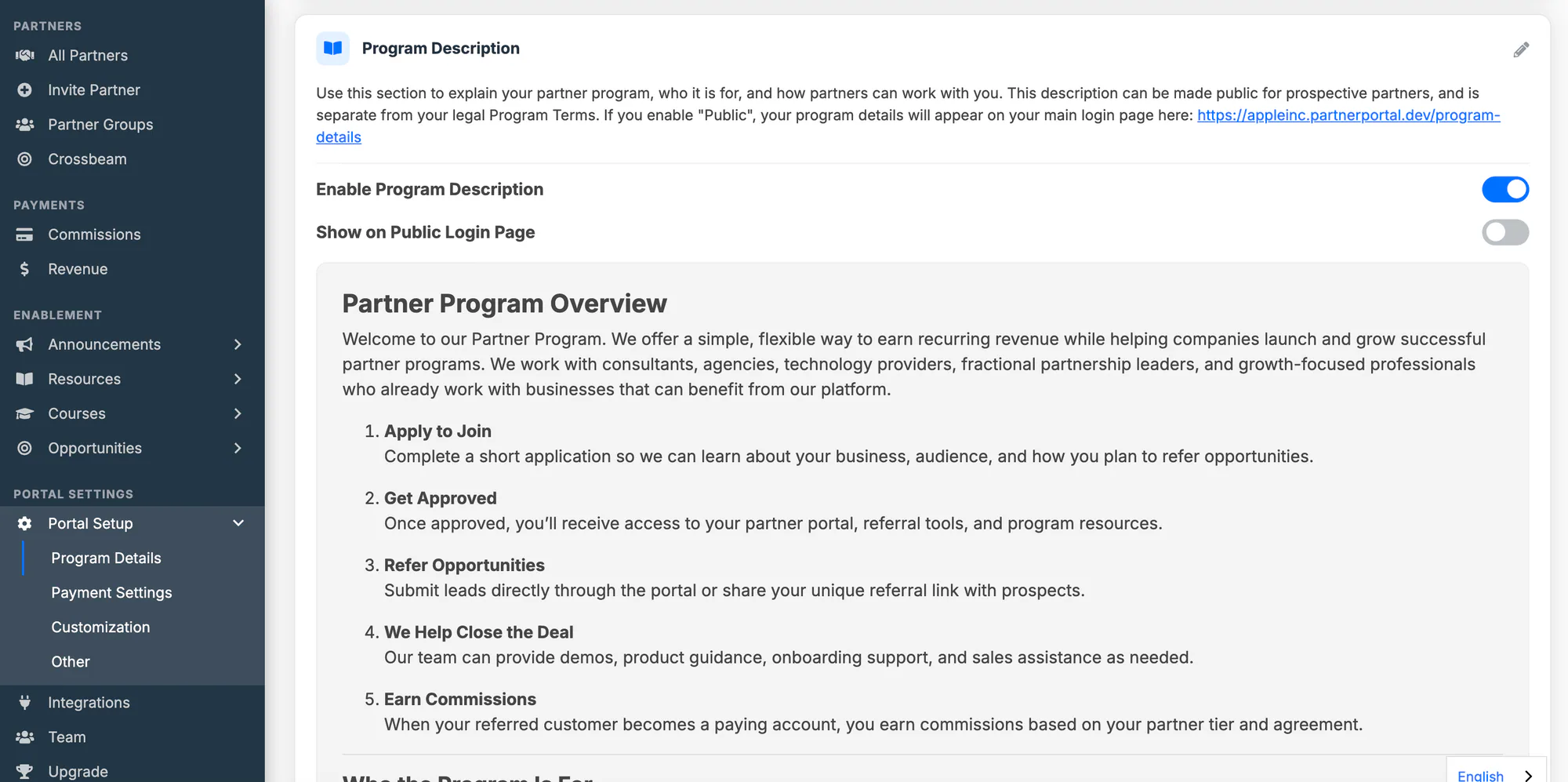
When Program Description is disabled, the content remains saved but is not shown publicly.
Program Terms
Section titled “Program Terms”Use Program Terms for the legal language every partner must agree to during registration.
On this card, you can:
- enable or disable terms for the whole portal
- edit the legal terms in a rich-text editor
- apply the same terms to every partner who registers
Open Portal Setup -> Program Details.
In Program Terms, turn on Enable Program Terms.
Click Edit and enter the legal terms you want partners to accept.
Save your changes.
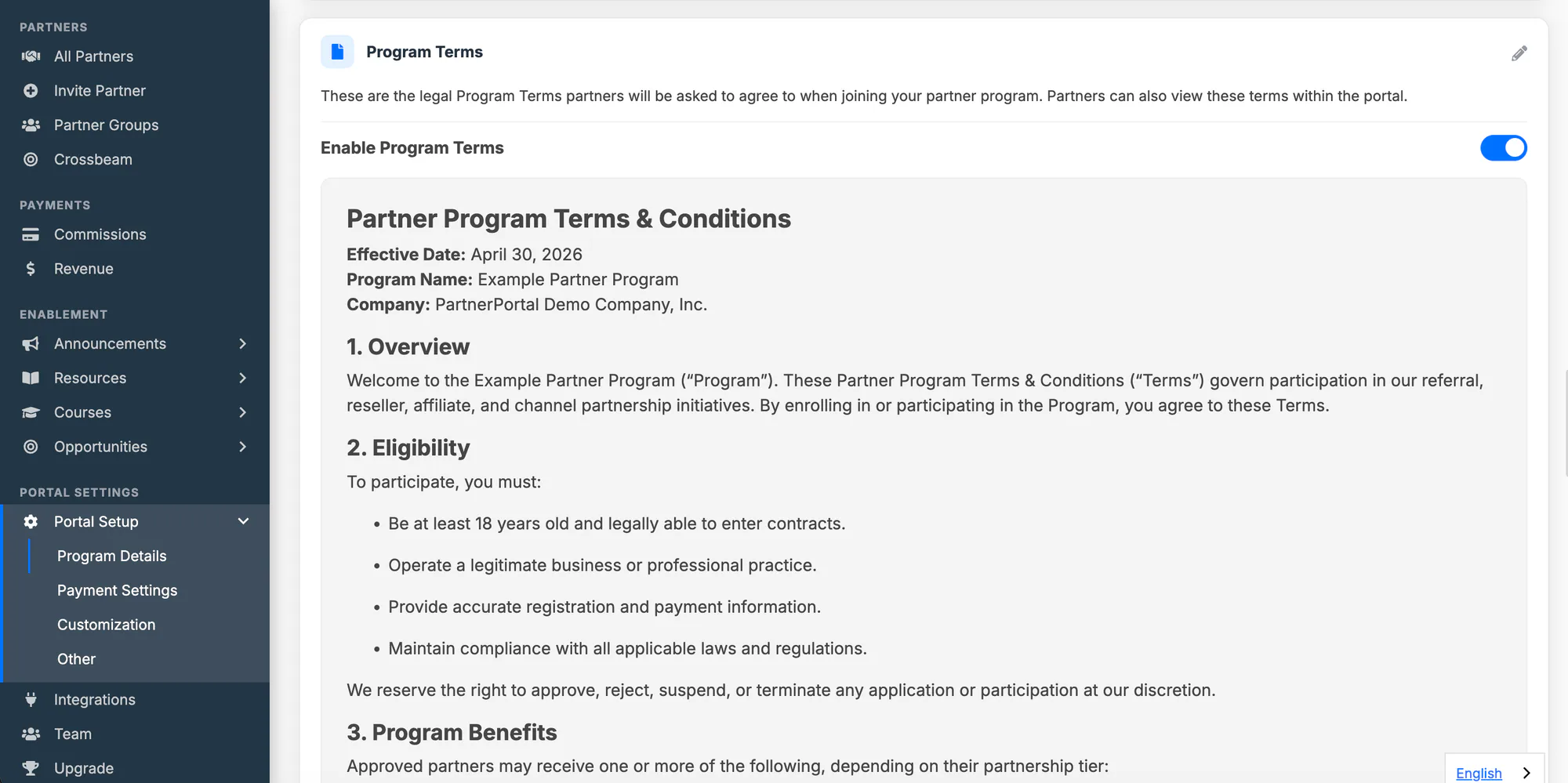
When Program Terms are disabled, partners only see PartnerPortal’s own default terms of service during registration.
If you are looking for commission setup, use Set Up Commission Tiers.