
Understanding Revenue and Commissions
PartnerPortal’s payments tools are built to track partner-earned revenue and calculate the commissions you owe to partners. The platform does not collect money from partners.
How the Flow Works
Section titled “How the Flow Works”At a high level, the flow is:
- Revenue is recorded from a lead, either manually or through an accounting integration.
- PartnerPortal matches that revenue to the correct lead and partner.
- PartnerPortal creates a commission record from that revenue, either manually or on a schedule.
- Your team reviews, exports, pays, or tracks that commission based on your workflow.
That is why the app now separates Revenue from Commissions. Revenue is the source data. Commissions are the partner earnings created from that data.
Revenue vs Commissions
Section titled “Revenue vs Commissions”The most important distinction is:
- Revenue is what the customer paid or what you tracked as earned on the lead.
- Commission is the amount owed to the partner based on that revenue and the lead’s commission setup.
You will usually see revenue on the Revenue page or on a lead record, and commissions on the Commissions page or on the partner and lead detail screens.
Different portals use these features in different ways. Some portals stay mostly manual, while others use Stripe or QuickBooks to automate part or all of the workflow.
Lead-level values
Section titled “Lead-level values”At the lead level, PartnerPortal shows both the revenue side and the commission side of the relationship.
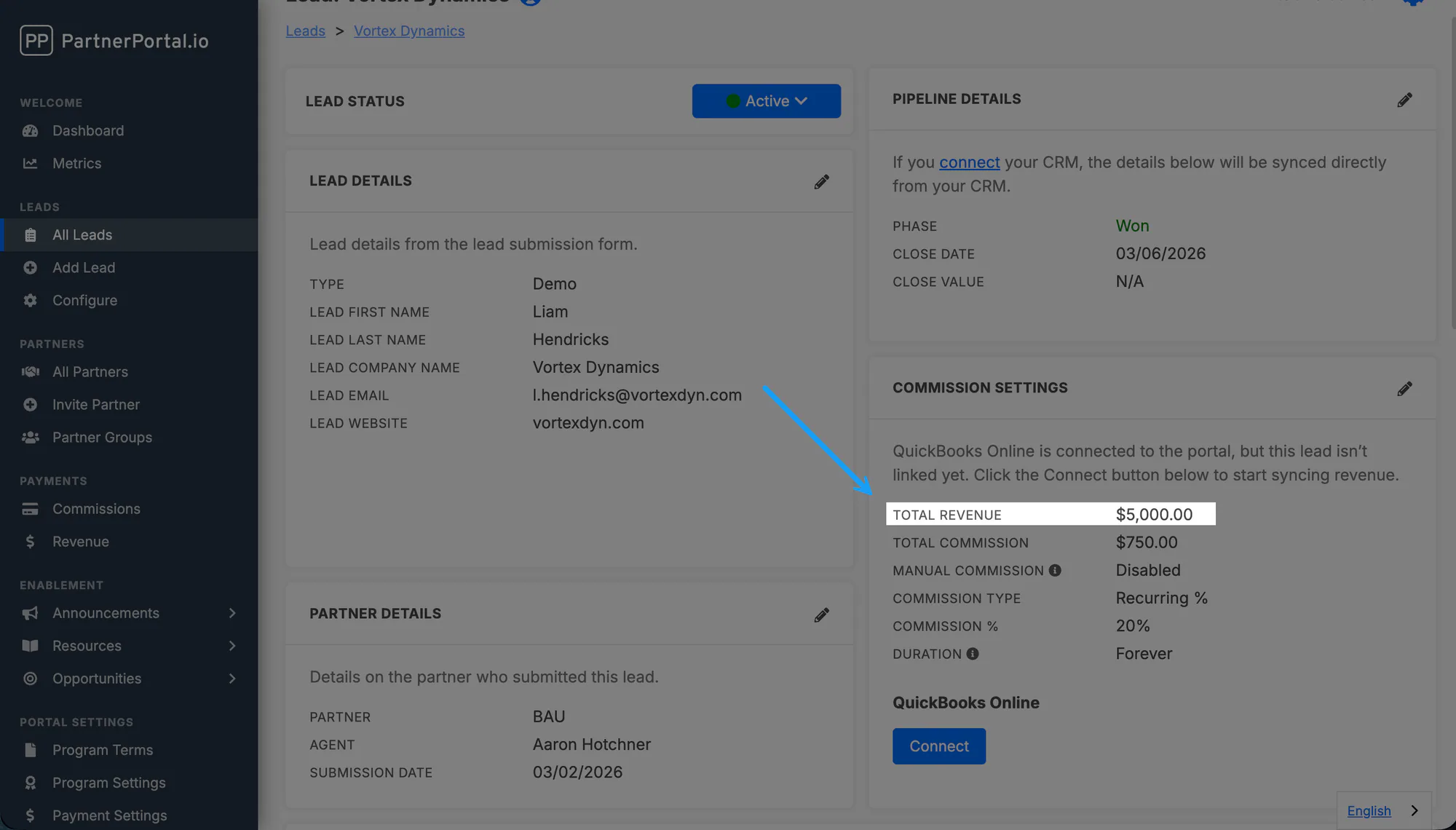
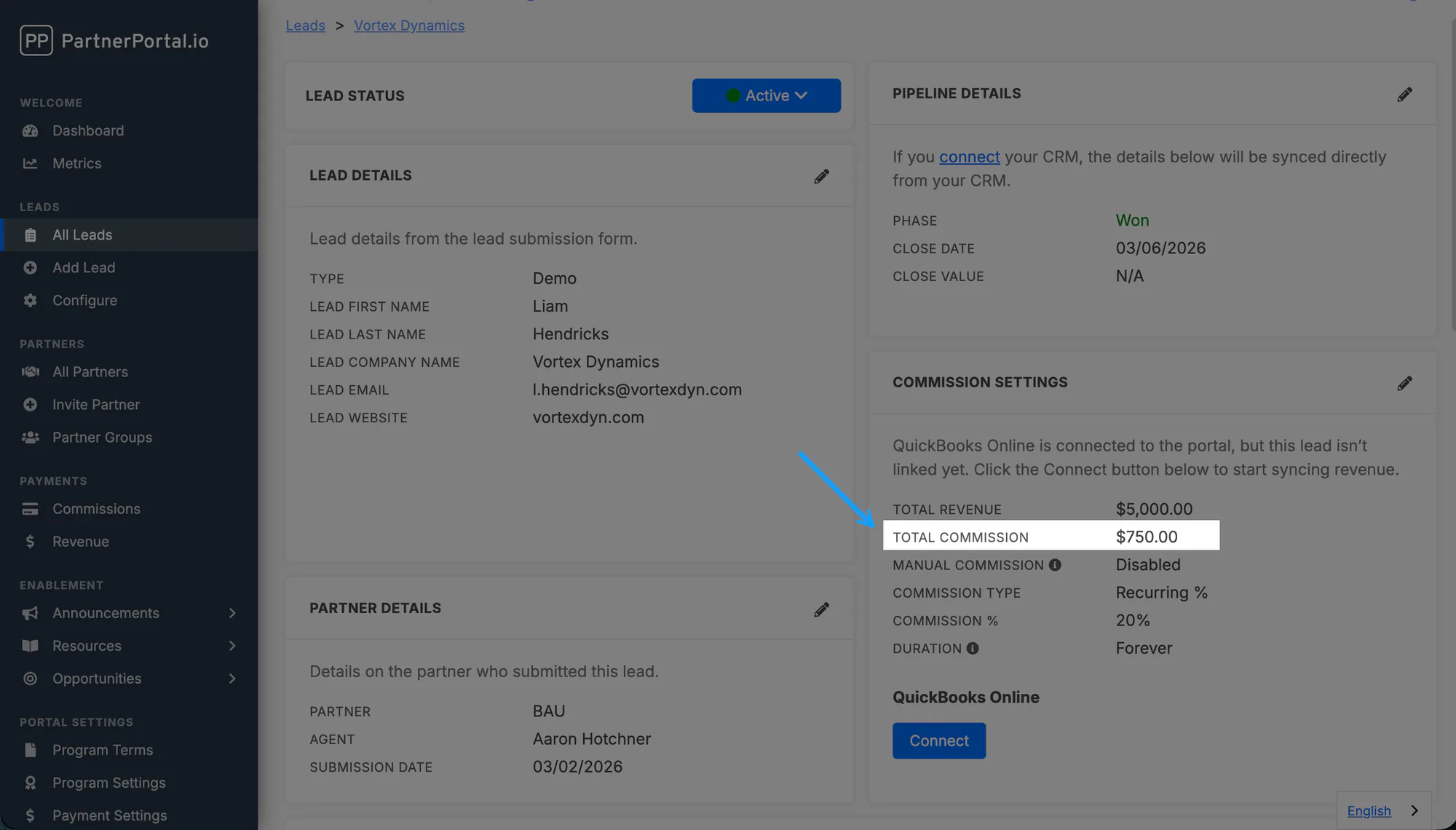
- Close Value is informational only. If your lead is connected to a CRM, this value may sync from the CRM and become read-only. It is not used to calculate commissions.
- Total Revenue is the sum of all revenue entries recorded for that lead.
- Total Commission is the sum of all commission amounts created for that lead.
Commission-level values
Section titled “Commission-level values”On an individual commission record:
- Revenue is the revenue amount used for that commission calculation.
- Payment or Commission Amount is the actual amount owed to the partner.
Partner-level totals
Section titled “Partner-level totals”On each partner record, PartnerPortal also shows the lifetime total revenue generated from that partner’s leads.
How Commission Rates Are Set
Section titled “How Commission Rates Are Set”PartnerPortal supports three core commission structures:
- Recurring percentage paid monthly, quarterly, or yearly
- One-time percentage
- Fixed amount
In practice, most portals start with global commission tiers and then apply more specific overrides only when needed. The most specific override wins.
Ways Revenue Gets Into PartnerPortal
Section titled “Ways Revenue Gets Into PartnerPortal”PartnerPortal supports more than one payments setup. Most portals use one of these three models:
1. Fully manual workflow
Section titled “1. Fully manual workflow”Some portals do not connect Stripe or QuickBooks at all.
In that setup:
- there is no automated revenue tracking
- your team adds revenue manually on the lead when needed
- there is no separate in-app revenue ledger or revenue list page driving the workflow
- your team can also create commissions manually instead of using scheduled generation
This is the simplest setup, and it works well for lower-volume programs or teams that want full manual control.
2. Legacy Stripe or QuickBooks workflow
Section titled “2. Legacy Stripe or QuickBooks workflow”Some portals connect Stripe or QuickBooks, but still use the older model where PartnerPortal reads revenue directly from the accounting system when commissions are generated.
In that setup:
- your team maps leads to customer records from the Stripe or QuickBooks integration settings page
- in Stripe, that mapping is a manual lead-to-customer grid saved on the integration settings screen
- PartnerPortal uses those mappings to look up revenue at commission-generation time
- the Revenue page is not the main source of truth for this workflow
- the revenue amount is usually reflected inside the commission/payment record rather than in a separate in-app ledger
- the accounting system is the revenue source for the scheduler, rather than the in-app revenue ledger
This workflow is still supported and remains important for older portals.
3. In-app revenue tracking workflow
Section titled “3. In-app revenue tracking workflow”The newer setup captures revenue inside PartnerPortal itself.
In that setup:
- Stripe or QuickBooks sends new revenue activity into PartnerPortal
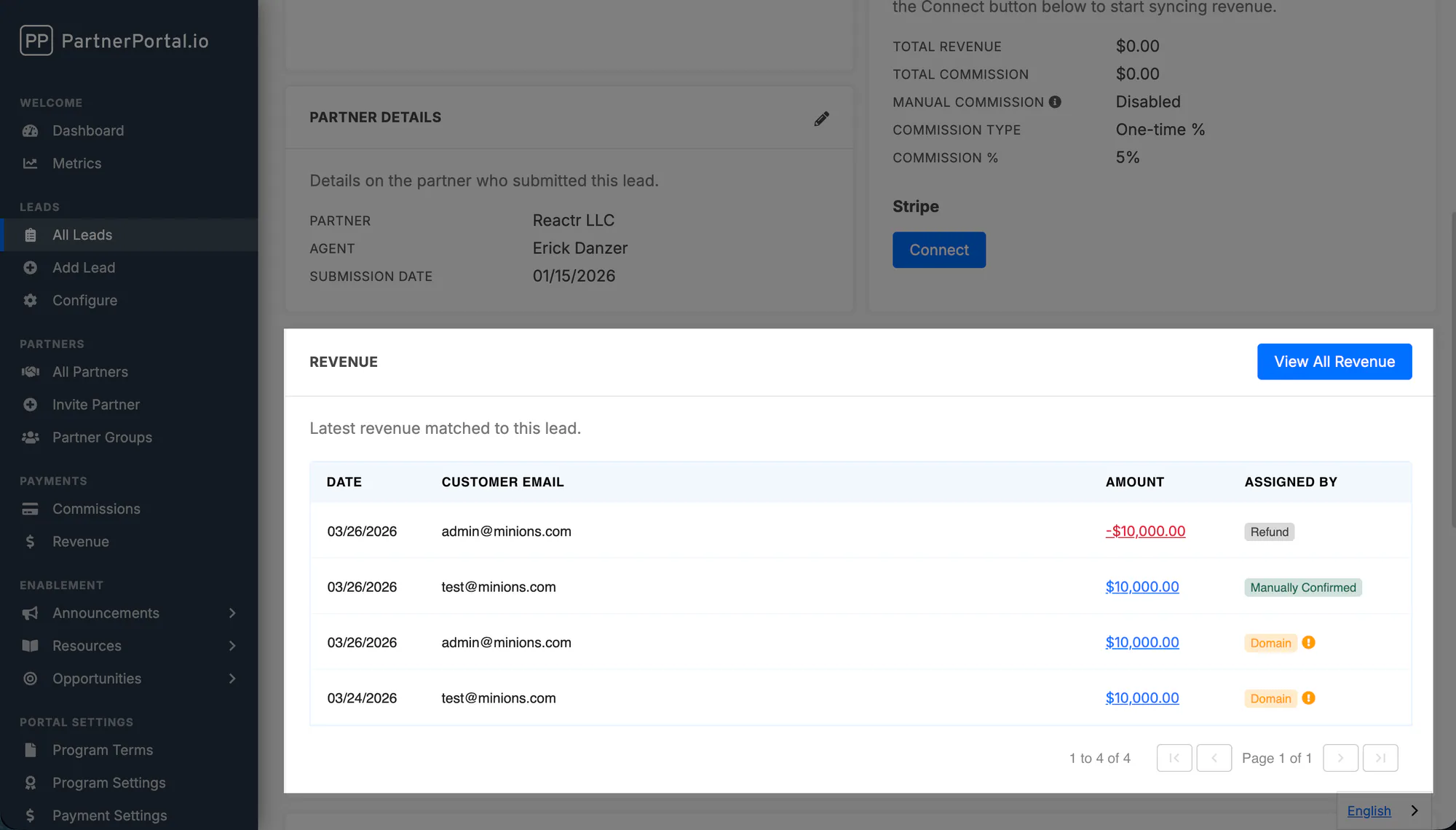
- PartnerPortal shows that revenue on the Revenue page
- PartnerPortal tries to auto-match the revenue to the correct lead by saved customer mapping first, then by email, then by domain
- your team can review, confirm, or correct those matches inside the app
If a match is suggested by email or domain, the revenue stays marked for review until your team confirms it. Once confirmed, PartnerPortal saves the customer-to-lead mapping so future revenue from that same customer can match more directly.
This gives your team a local revenue ledger inside PartnerPortal instead of waiting for commission generation time to see what happened. This is the only workflow that uses the separate Revenue page as a central operating screen.
This means revenue tracking and commission generation are related, but they are not the same setting.
How Commissions Are Generated
Section titled “How Commissions Are Generated”Commissions can also be configured in more than one way.
- Manually: your team creates or updates commissions directly when needed.
- Automatically on a schedule: PartnerPortal generates commissions for eligible revenue based on the settings in Payment Settings.
Automatic commission generation is optional. If you use it with an accounting integration, the scheduler can use one of two revenue sources:
- Legacy: read revenue directly from Stripe or QuickBooks when the scheduler runs, using the mappings from the integration settings page
- In-App Revenue: generate commissions from the revenue records already stored inside PartnerPortal
The newer setup is usually easier to review because the revenue appears in PartnerPortal before commissions are created, instead of being discovered only when the scheduler runs.
Commission Status Workflows
Section titled “Commission Status Workflows”PartnerPortal supports two commission-status models:
- Modern: Needs Approval, Approved, Do Not Pay, and Paid
- Legacy: older statuses such as Pending, Scheduled, Processing, and Complete
Modern statuses are clearer for export-based finance workflows. Legacy statuses mainly remain for older portals and PayPal-driven payout flows.
How Funds Are Sent
Section titled “How Funds Are Sent”PartnerPortal can send payouts directly only when the portal is using the PayPal payments integration.
- With PayPal integration: payouts can be sent through the platform
- Without PayPal integration: the payment record is still useful for visibility and tracking, but the actual funds must be sent outside PartnerPortal
If you want to learn the operational steps next, see How to Track Revenue, How to Manage Commissions, and Payment Settings.