
Partner Training Software: How to Onboard and Enable Partners with Courses
Partner training software helps you onboard and enable partners with courses, progress tracking, and partner certifications. Here is how it works, what to train partners on, and when you need a dedicated partner LMS.
Written by the team at PartnerPortal — PRM software with built-in partner training courses and certifications, used to onboard and enable B2B partners.
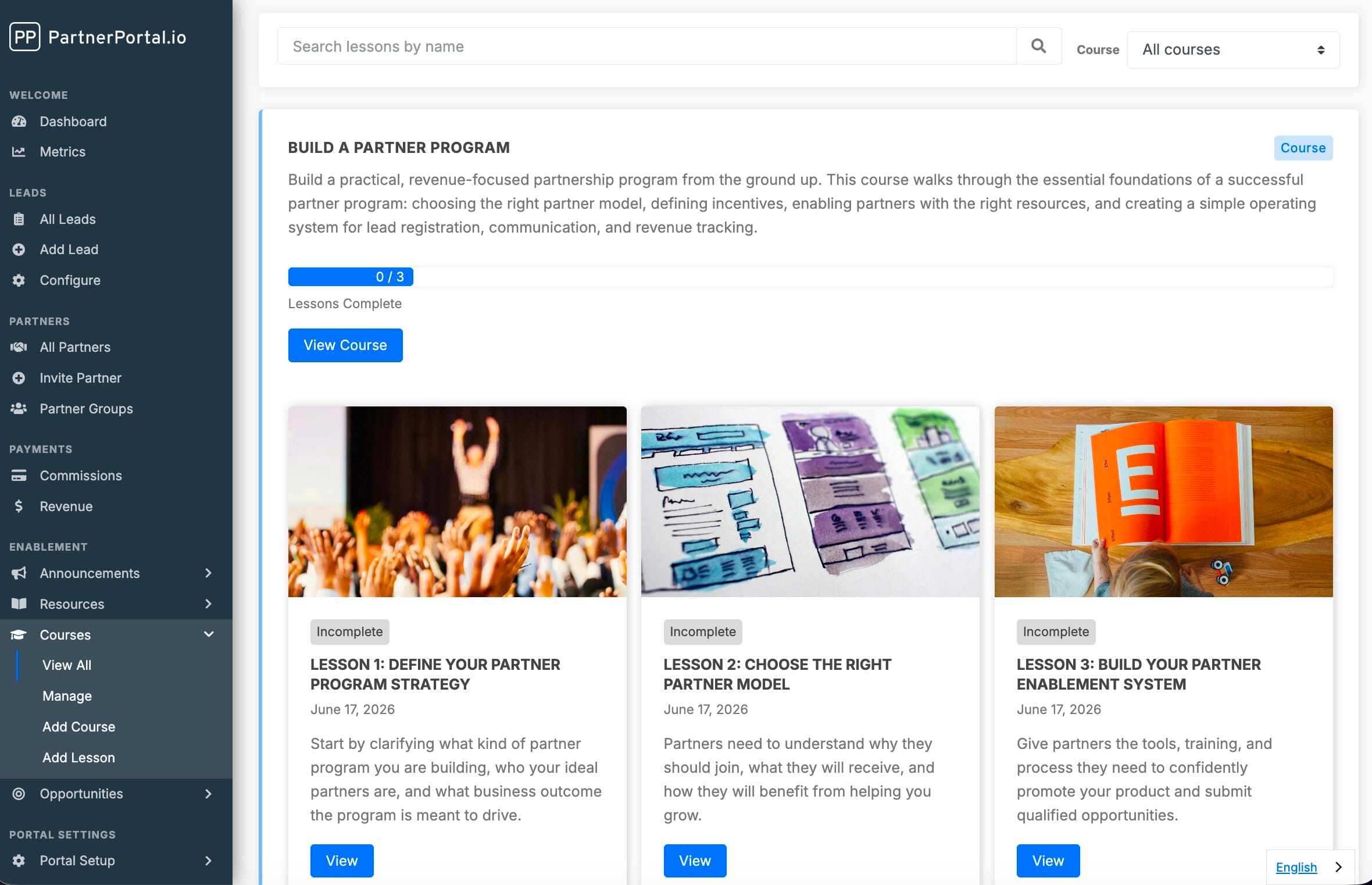
Partner training is one of the highest-leverage jobs in any partner program and one of the most commonly neglected. The difference between a partner who can confidently pitch and support your product and one who forwards every question back to your team is training — and, just as importantly, being able to see who has actually completed it. Partner training software is the category of tools built to do that: host your training content, deliver it to partners, and track who has learned what.
This guide explains what partner training software is, how a partner LMS differs from an employee LMS, why the strongest place to deliver partner training is inside the partner portal your partners already use, what to actually train partners on, how to track their progress, and when to turn completed training into a partner certification — plus an honest take on when a dedicated LMS is worth the extra system.
TL;DR: Partner training software helps you onboard, train, and enable partners with courses, progress tracking, and certifications. For most programs, the best option is partner training built into your PRM — courses and certifications delivered in the same partner portal partners already use — because adoption, not authoring, is the hard part. A standalone partner LMS earns its cost and its second login only when you need graded assessment: quizzes, pass/fail gating, and SCORM content at scale.
What is partner training software?
Partner training software is the system you use to teach partners how to sell, implement, and support your product — and to see who has actually learned it. At its core it does three things:
- Hosts training content — videos, decks, documents, product walkthroughs, and structured courses.
- Delivers it to partners — in a place partners can find and work through on their own time.
- Tracks completion — who has finished what, who is progressing, who has not started.
The first two are table stakes; plenty of tools host and deliver content. The third — tracking — is what separates real partner training software from a shared drive. If you cannot see who has completed your enablement, you cannot tell which partners are ready to sell and which are about to struggle in front of a customer.
Partner training software shows up in a few forms: a dedicated partner LMS, a broader partner enablement or channel partner training software platform, or — increasingly — partner training built directly into a PRM, so courses live in the same partner portal partners already use for deal registration, resources, and commissions.
What is a partner LMS?
A partner LMS (learning management system) is an LMS designed for training external partners rather than internal employees. It organizes training into courses made up of lessons, controls which partners can access which training, and tracks progress and completion per partner.
“Partner LMS” and “partner training software” describe largely the same job. “LMS” emphasizes the learning-management architecture — courses, lessons, completion, certifications, and (in the heavier tools) graded quizzes and SCORM content. “Partner training software” is the broader, more common way buyers describe what they are looking for, because it names the outcome — trained, effective partners — rather than the mechanism. Either way, the deciding questions are the same: where does the training live, how do partners access it, and can you see who has completed it.
Partner LMS vs. employee LMS
It is tempting to reuse your internal employee LMS for partners. It usually does not fit, for a few reasons:
- Partners are not on your payroll. You cannot mandate completion the way you can with employees. Training has to be genuinely useful and easy to reach, or it will not happen.
- Access and identity are messier. Partners belong to other companies, churn in and out, and should not have access to your internal systems. You need partner-scoped access, not employee SSO.
- The goal is revenue, not compliance. Employee training is often about policy and HR compliance; partner training is about making partners effective at selling and supporting your product. The content and the metrics are different.
- It lives next to the rest of the partner relationship. Partners also register deals, check commissions, and grab the latest battle card. Training bolted onto a separate platform they rarely log into gets ignored.
That last point is the strategic one: partner training works best where partners already spend time — inside the partner portal — rather than in a standalone learning system they have to be nagged to visit.
Why deliver partner training through your PRM
The single biggest predictor of whether partner training works is not the quality of the courses — it is adoption. Partners are busy people at other companies with their own priorities. Training they have to remember to log into somewhere else loses to training that is one click away in the portal they already use.
Delivering partner training through your PRM solves adoption structurally:
- One login, one place. Partners take courses in the same portal where they register deals, pull resources, and see what they are owed. No separate LMS account, no extra invitation, no second system to remember.
- Access controlled by the groups you already use. The same partner groups that gate your resources and route your notifications also gate your training — so the right partners see the right courses with no parallel access model to maintain.
- Training sits next to the work. A partner who just registered a deal is one click from the course that teaches them how to position the product. Context drives completion.
- Completion data lives with your partner data. Because training and the rest of the partner relationship share one system, “who is trained” sits alongside “who is producing” — the foundation for tying enablement to real outcomes.
This is why partner training is increasingly a core PRM capability rather than a separate purchase. It is also part of the broader discipline of channel partner enablement — giving partners the content, training, and tools to sell effectively.
What to train partners on
The content that actually drives partner productivity tends to fall into four buckets:
| Content type | Purpose | Format |
|---|---|---|
| Product fundamentals | What it does, who it is for, the core use cases | Short videos + a one-page overview |
| Sales enablement | How to position, qualify, and pitch; objection handling | Pitch deck, battle cards, demo recordings |
| Process | How to register deals, how attribution works, how partners get paid | Step-by-step guides, screen recordings |
| Certification (optional) | A formal “this partner is ready” signal | Curriculum + a credential |
The most common mistake is over-investing in a polished certification curriculum before the basics are in place. A partner who knows how to register a deal and can run a competent demo is worth more than one who passed a quiz but cannot find the current pricing sheet. Start with fundamentals, sales enablement, and process; add certification only once the program is large enough that “ready or not” needs a formal marker.
Types of partner courses to create
A practical starter set of partner courses, most programs build some version of these:
- Partner onboarding. The first-week course: who you are, how the partnership works, how to log in, where everything lives, and how partners get paid. This is the course that shortens time-to-first-deal.
- Product training. What the product does, the core use cases, and a working demo. Video-heavy.
- Sales training. Positioning, discovery questions, objection handling, and competitive framing — the content that turns a partner into someone who can actually sell.
- Deal registration and process. How to register a deal in the portal, how attribution and protection work, and what happens after a deal is submitted.
- Role- or tier-specific training. Different content for resellers vs. referral partners, or advanced tracks for higher-tier partners.
Each course is a set of ordered lessons — a lesson can be a short video, a walkthrough, a slide deck, a PDF, or a written post. Keep lessons short and sequenced, and let partners mark each one complete as they go.
How to organize courses by partner type
Not every partner should see every course. The cleanest way to manage this is with partner groups: create a course, add its lessons, then assign the partner groups that should have access. Referral partners get the light onboarding track; resellers get the full sales and product curriculum; a specific strategic partner gets a private course made visible only to a group containing just them.
This keeps training targeted without a parallel permissions system — the same segmentation you use for resources, announcements, and notifications drives who sees which training.
How to track partner training progress
Tracking is the feature that turns content delivery into a training program. Good partner training software gives you:
- Per-lesson completion. Partners mark each lesson complete as they work through it.
- A progress bar per course. At a glance, how far each partner is (“3 of 5 lessons complete”).
- Course completion. When a partner finishes every lesson, the course is recorded as complete for them.
- Engagement history. Which partner organizations and users have viewed and completed each lesson — so you can see who is ready to sell and who has not started, and follow up accordingly.
Honor-system completion (partners mark their own progress) is enough for the large majority of programs. What completion cannot do on its own is tell a partner — or your sales team — that someone is ready. That is what certifications are for.
Partner certifications: turning completion into a credential
A partner certification is a named credential a partner earns by completing the training you require. Completion tracking tells you who worked through a course; a certification is the marker that says a partner is ready to sell, and it is the thing partners themselves care about earning.
Most programs do not need one at launch. Certifications start to matter at three specific moments:
- You can no longer answer “is this partner ready?” from memory. Somewhere past a few dozen partners, “who is trained” stops being something you know and becomes something you have to look up.
- Something depends on being trained. Tier placement, access to leads, a higher commission rate, or permission to run demos unsupervised — any of these needs an unambiguous signal to hang off.
- Partners want the recognition. A credential a partner can point to internally, or show their own customers, is one of the few pieces of partner motivation that costs you nothing to give.
Two things separate a certification that means something from a decorative badge:
- Tie it to a defined set of courses. “Certified” should have one definition everybody can look up, not a judgment call. Requiring a specific set of courses — all of them, or any one of a set of tracks — makes the standard explicit.
- Make it visible where decisions get made. A credential filed away in a learning system changes nothing. On the partner record, next to their leads and revenue, it changes how you route deals.
Why this is easier when training lives in your PRM. When courses and certifications share one system, the credential is awarded the moment a partner finishes the required training — no export from a learning platform, no reconciling a spreadsheet of completions against a partner list, no lag between “finished the course” and “shows as certified.” And because the certification lands on the same partner record as revenue and deal history, “who is trained” and “who is producing” are finally the same view.
The honest boundary: certification is not assessment. Completing training is not the same as passing a test. If your program needs graded knowledge checks, pass/fail gating, or accreditation you could defend to an auditor, that is genuinely a dedicated LMS requirement — and it is a different, heavier product. For the large majority of programs, a credential tied to completed training is the signal they actually needed.
Your options, from a shared folder to an enterprise LMS
There are four realistic tiers, and most programs move up the ladder as they scale:
| Tier | Cost | Tracks completion? | Best for |
|---|---|---|---|
| Shared drive / folder (Google Drive, Notion) | Free | No | 1–10 partners, pre-launch, informal programs |
| PRM with built-in courses and certifications | Included in PRM | Yes — lesson & course completion, plus certifications | 10–100+ partners who already log into a portal |
| Standalone partner LMS | $$$–$$$$ | Yes, plus graded quizzes and SCORM | Large programs needing assessment-based certification at scale |
| Enterprise enablement platform (Mindtickle, Showpad) | $$$$ | Yes, advanced | Enterprise channel programs with hundreds of partners |
Shared folder. Free and instant, but partners can never find the latest version and you have no idea who has looked at anything. Fine to start; does not scale.
PRM with built-in courses and certifications. Training lives inside the partner portal partners already use. The big advantage is adoption — partners are already there — plus completion tracking and certifications without standing up a second system. The right default for most SMB and mid-market programs.
Standalone partner LMS or partner training platform. Purpose-built for formal partner education — structured learning paths, graded quizzes, SCORM content, and detailed completion reporting. Worth it once assessment-based certification at scale is a real business need; overkill and an adoption drag before that.
Enterprise enablement platform. Powerful, expensive, and built for large channel organizations. If you are asking whether you need one, you probably do not yet.
When you need a dedicated LMS instead
To be straight about the boundary: partner training built into a PRM is the right fit for most SMB and mid-market programs, but a dedicated LMS is the better tool when:
- You need assessment-based certification at scale — graded knowledge checks, pass/fail gating, and accreditation you could defend to an auditor across hundreds of partners. (A credential for completed training is a different, lighter thing, and your PRM can handle it.)
- You require SCORM/xAPI content interoperability or an existing library authored in those standards.
- You run structured, multi-course learning paths with prerequisites and enforced sequencing as a core part of your channel strategy.
- Training is a standalone product you sell or deliver independently of the partner relationship.
If none of those describe you yet, adding a separate LMS mostly adds a second login for your partners — which is exactly the adoption tax that kills partner training. Most programs are far better served by findable, well-maintained courses inside the portal partners already use, with completion tracking and certifications, than by an assessment engine they will not adopt.
How partner training works in PartnerPortal
PartnerPortal is partner training software built directly into your PRM: you create courses, organize onboarding and enablement content, track partner progress, and certify partners — without sending them into a separate LMS.
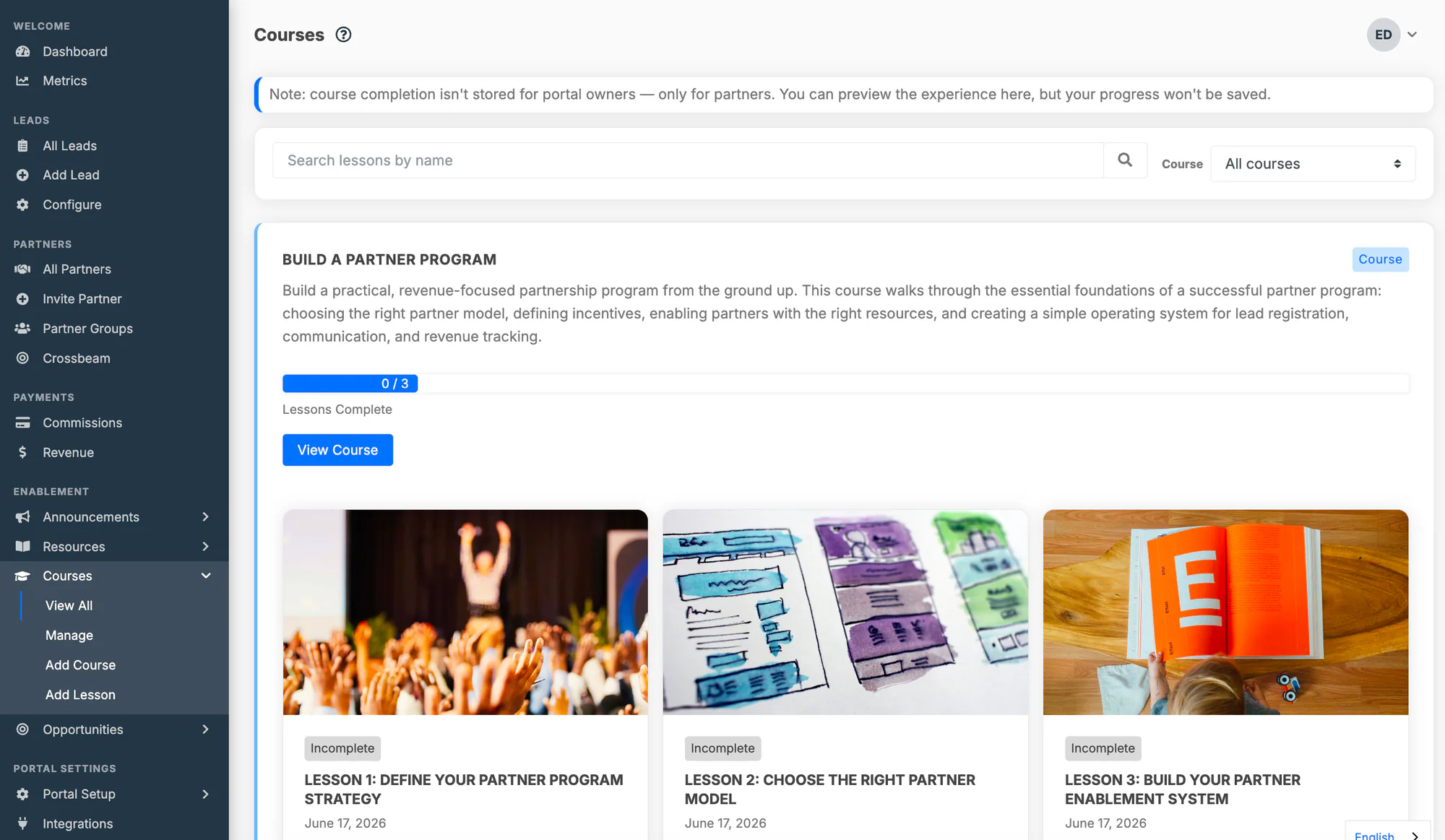
- Courses and lessons. A course is an ordered set of lessons. Each lesson is a rich post — text, embedded images and video, in-app links, and downloadable attachments like PDFs and slide decks — so a lesson can be a walkthrough, a recorded demo, a deck, or any combination.
- Access by partner group. Assign partner groups to a course and every partner in those groups gets access to it and all its lessons. To train different partners on different material, split it into separate courses with different group assignments.
- A dedicated course player. Partners work through a course with a progress bar, a numbered lesson sidebar with checkmarks for completed lessons, and Previous/Next navigation — and can pick up where they left off.
- Progress and completion tracking. Partners mark each lesson complete; every course shows a progress bar; finishing every lesson records the course as complete for that partner. Engagement history shows which partner organizations and users have viewed and completed each lesson.
- Certifications. Define a badged credential, connect it to the courses that earn it, and PartnerPortal awards it automatically when a partner user completes them — or award it by hand for training that happens outside the portal. Partners see what they have earned and what is still available on their own certifications page. See the partner certifications documentation.
- Built on the same content and access system as resources. If you already publish resources, courses will feel familiar — the additions are lesson ordering, the course player, and completion tracking.
- Included on every plan. Partner training courses and certifications are part of PartnerPortal on every plan, including the free tier — not a paid add-on.
Quizzes are on the near-term roadmap, building on the completion tracking and certifications that ship today.
For the full walkthrough — creating courses, ordering lessons, and granting access — see the Courses documentation; for setting up credentials and awarding them, see the partner certifications documentation. You can also read how the built-in partner LMS came together.
Related reading
- Channel Partner Enablement — the broader discipline training sits inside: giving partners the content, tools, and training to sell.
- Channel Partner Onboarding — how to get new partners productive fast, where training does much of the work.
- What Is Channel Management? — the full partner lifecycle, from recruitment to optimization.
- Best PRM Software in 2026 — how the major partner platforms compare, including their enablement and training features.
- Courses documentation — step-by-step setup for partner training in PartnerPortal.
- Partner certifications documentation — how to define a credential, connect it to courses, and award it.
Ready to train and certify your partners in the portal they already use? Launch a free portal and build your first course, or explore everything PartnerPortal includes.
Frequently asked questions
What is partner training software?
Partner training software is the system you use to onboard, train, and enable the partners who sell, implement, or support your product — hosting training content, delivering it to partners in a place they can access on their own time, and tracking who has completed what. It can be a dedicated partner LMS, or partner training built directly into a PRM (partner relationship management) platform so training lives in the same portal partners already use for deal registration and commissions.
What's the difference between a partner LMS and a regular LMS?
A regular (employee) LMS assumes learners are on your payroll, use your internal SSO, and can be required to complete training. A partner LMS is built for external learners: partners belong to other companies, churn in and out, can't be mandated, and shouldn't have access to your internal systems. Partner training also targets revenue effectiveness — helping partners sell and support your product — rather than HR compliance, and works best delivered inside the partner portal partners already log into rather than a standalone system they forget exists.
Do I need a separate LMS to train partners, or can my PRM do it?
Most programs do not need a separate LMS. Below roughly 100 partners, the biggest problem in partner training is adoption — getting partners to actually engage — and training delivered inside the partner portal partners already use for deal registration and commissions wins on adoption every time. Modern PRMs also cover certification, so a credential for completed training no longer requires a separate system. A dedicated LMS becomes worth the added cost and the second login only once graded assessment at scale — quizzes, pass/fail gating, SCORM content — is a real business requirement.
What should partner training cover?
Four buckets: product fundamentals (what it does, who it is for), sales enablement (positioning, pitch, objection handling), process (how to register deals, how attribution works, how partners get paid), and — once the program is large enough to need a formal "ready to sell" marker — certification. Start with the first three; add certification later. A partner who can register a deal and run a competent demo is worth more than one who passed a quiz but cannot find the current pricing sheet.
What is a partner certification?
A partner certification is a named credential a partner earns by completing the training you require — the marker that says a partner is ready to sell, rather than simply that they opened a course. It is worth adding once you can no longer answer "is this partner ready?" from memory, or once something concrete depends on being trained, such as tier placement, lead routing, or a higher commission rate. When training lives inside your PRM, the certification is awarded automatically the moment a partner completes the required courses and appears on the partner record alongside their leads and revenue. Note that certification based on completed training is not the same as graded assessment — pass/fail knowledge checks are a dedicated LMS requirement.
How do you track whether partners complete training?
Good partner training software records completion at the lesson and course level: partners mark each lesson complete as they work through it, a progress bar shows how far they are, and finishing every lesson records the course as complete for that partner. Engagement history then shows which partner organizations and users have viewed and completed each lesson, so you can see who is ready to sell and who has not started.
Does PartnerPortal include partner training?
Yes. PartnerPortal includes built-in Courses — a partner LMS where you create training courses made of ordered lessons, control access with partner groups, and track each partner's progress and course completion, all inside the same portal partners use for deal registration and resources. It is included on every plan, including the free tier. Partner certifications ship too — a badged credential awarded automatically when a partner completes the courses you require. Quizzes are on the near-term roadmap.
Can partners take courses without a separate login?
Yes. When partner training is built into the PRM, partners take courses in the same portal they already log into for deal registration, resources, and commissions — no separate LMS account, no extra invitation, no second system to remember. That single-login experience is the main reason PRM-delivered training gets far higher partner engagement than a standalone learning platform.