· Erick Danzer · 5 min read
A Built-In Partner LMS: Create Training Courses Inside Your Partner Portal
PartnerPortal is now a PRM with a built-in partner LMS. Build training courses and lessons, control access with partner groups, and track each partner's progress and completion — all inside the partner portal your partners already use.
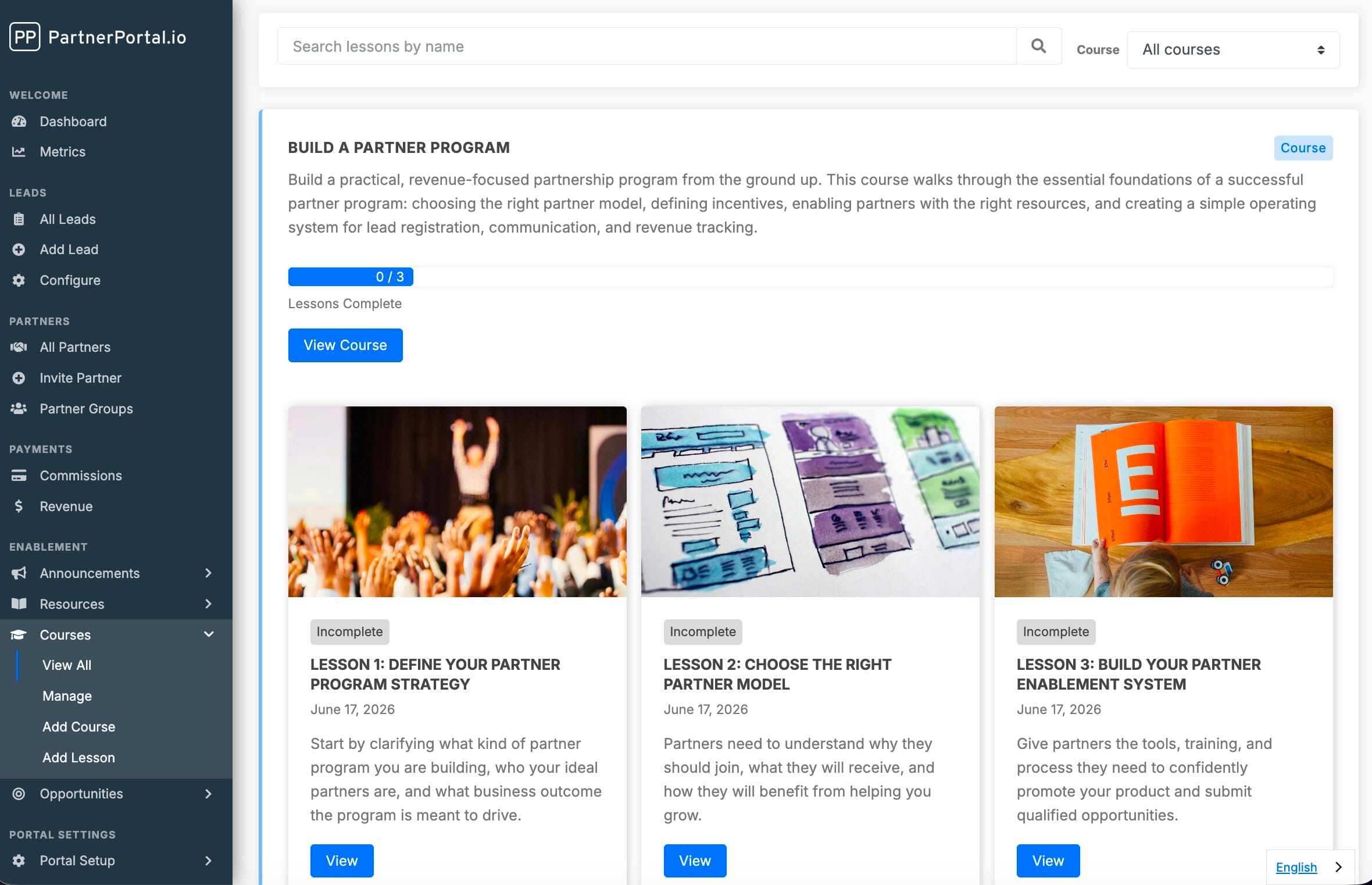
PartnerPortal — a partner relationship management (PRM) platform — now includes a built-in partner LMS. You can create training courses directly in your portal, organize them into ordered lessons, control who sees what with partner groups, and track each partner’s progress and completion — without bolting on a separate learning platform or stitching one together with webhooks.
Why partner training belongs in your PRM
Enabling partners is one of the most important jobs of any partner program, and training is where most programs quietly fall down. The content ends up scattered across shared drives, recorded calls, and one-off PDFs, and there’s no way to tell who has actually been trained.
Most PRMs don’t solve this — they leave you to run a standalone LMS on the side, then reconcile “who’s certified” by hand. Putting courses inside the same portal your partners already log into means training lives next to the leads, resources, and deals partners are working — and completion data lives in the same place as the rest of your partner program. For the full picture on this, see our guide to partner training software — what it is, what to train partners on, and when a dedicated LMS is actually worth it.
What the partner LMS does
Courses are built on the same content and access system as our Resource Center, so if you already publish resources, this will feel familiar. The additions are lesson ordering, a dedicated course player, and completion tracking.
Here’s what you get:
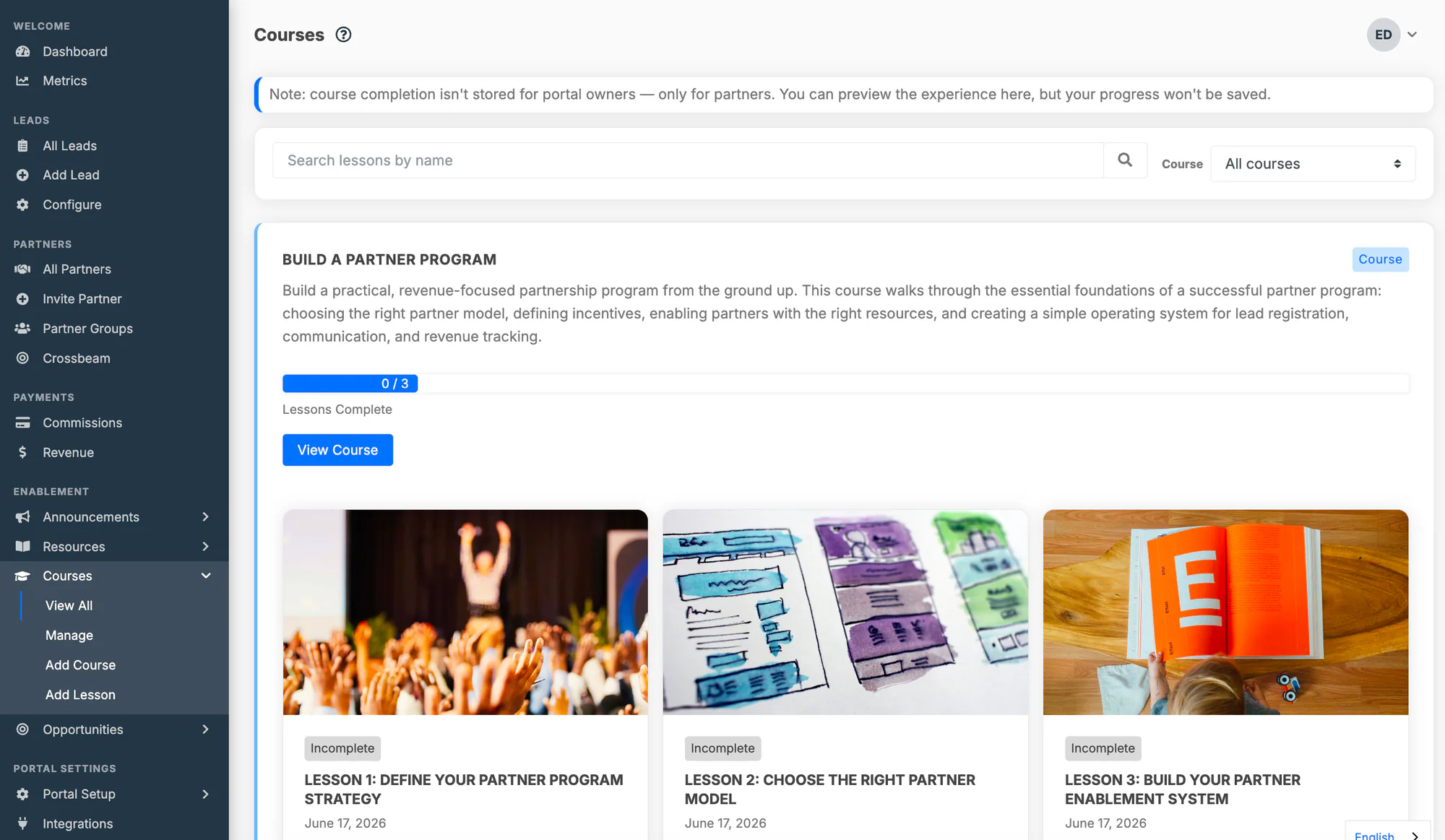
Courses and lessons. A course is an ordered set of lessons. Each lesson is a rich post — text, embedded images and video, in-app links, and downloadable attachments like PDFs and slide decks. A single piece of content can be a lesson in a course, a resource in a category, both, or neither.
Access by partner group. Assign one or more partner groups to a course, and every partner in those groups gets access to the course and all of its lessons. To train different partners on different material, split it into separate courses with different group assignments.
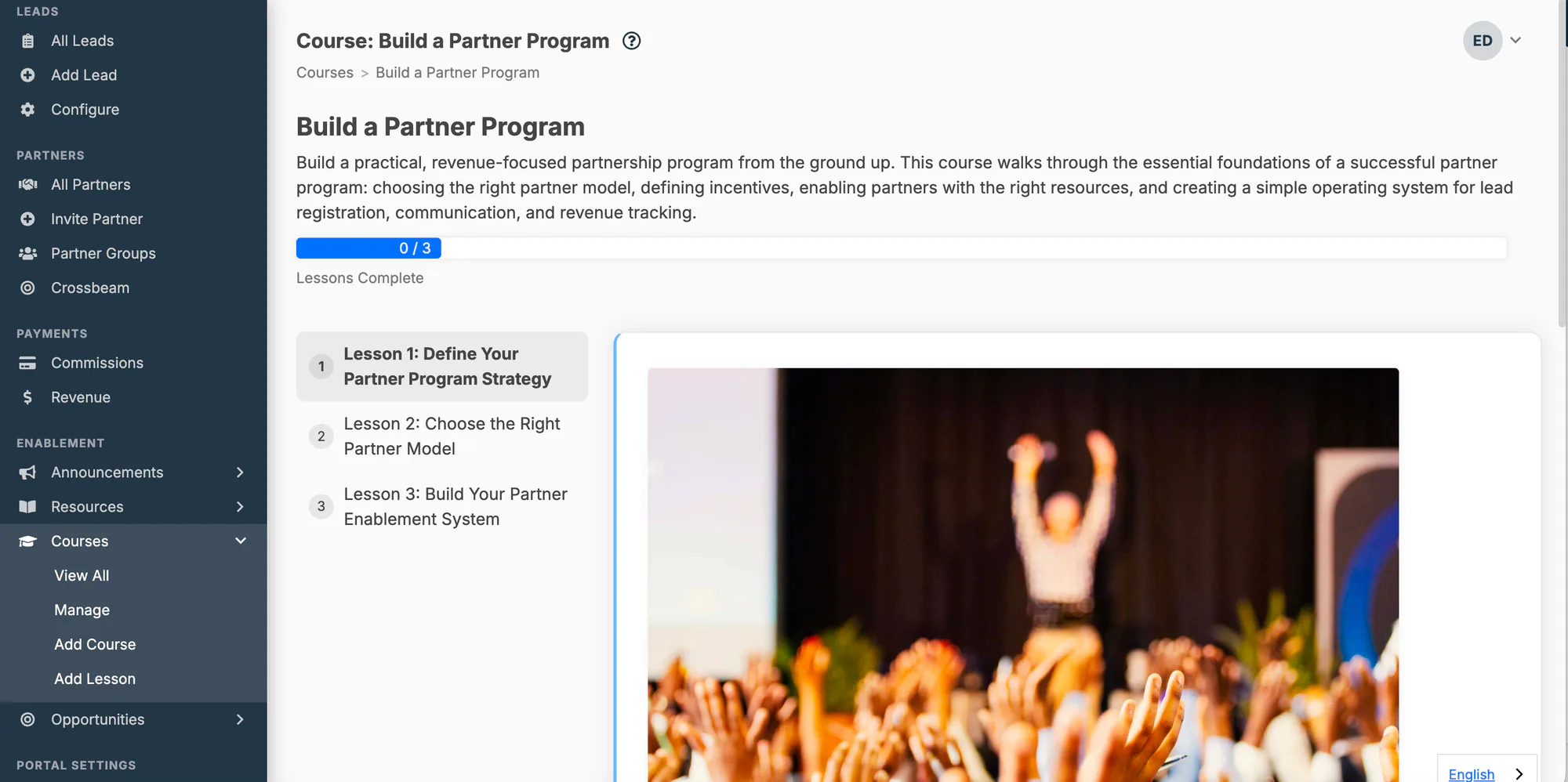
A dedicated course player. When a partner opens a course, they get a progress bar, a numbered lesson sidebar with checkmarks for completed lessons, the lesson content in the main area, and Previous / Next navigation. They can even share a link to a specific lesson.
Progress and completion tracking. Partners mark each lesson complete as they work through it. Every course shows a progress bar (“3 of 5 lessons complete”), and when a partner finishes every lesson, the course is recorded as completed for them.
Engagement history. Each lesson records which partner organizations and users have viewed and completed it, so you can see how partners are progressing across your program.
Setting up a course
Setting up training takes three steps:
- Go to Courses → Manage and create a course — give it a name and an optional description.
- Add lessons to the course and put them in the order you want partners to work through them.
- Assign the partner groups that should have access.
That’s it. Partners in those groups will see the course the next time they log in, and can start working through it in the course player.
For the full walkthrough — lesson content, ordering, display settings, and engagement history — see the Courses documentation.
Where this is headed
This is the first release of the partner LMS, and it’s deliberately focused: courses, lessons, access, and completion tracking. We’re building on it from here — quizzes are next, so completion can be backed by a real knowledge check. If there’s a specific training workflow you need, we want to hear about it.
Update: partner certifications have shipped
We’ve since added partner certifications — a badged credential partners earn for completing the training you require. You define a certification once (name, description, badge icon and color), choose the courses that earn it, and PartnerPortal awards it automatically the moment a partner user finishes them. You can also award certifications by hand, for training that happens outside the portal.
A few things worth knowing:
- Certifications are earned by people, not companies. A partner organization shows as certified while at least one of its active users holds the credential, and the partner’s record names who those users are.
- One certification can span several courses. Require all of them, or any one of them.
- Partners get their own certifications page listing what they’ve earned, what’s in progress, and what’s available — and every course that counts toward a certification says so.
Certifications are included on every plan, like everything else. For the full walkthrough — setting one up, awarding and revoking, and what partners see — see the partner certifications documentation.
Getting started
If you’re already a customer, open Courses → Manage in your portal to build your first course. If you’re evaluating PartnerPortal as the PRM for your partner program, you can launch a free portal at partnerportal.io and explore Courses alongside everything else — every feature is included on every plan.
Frequently asked questions
Does PartnerPortal include a partner LMS?
Yes. PartnerPortal now has a built-in Courses feature — a partner LMS where you create training courses made of ordered lessons, control access with partner groups, and track each partner's progress and course completion. It's included in the platform, with no separate LMS to buy or integrate.
What is a PRM with a built-in LMS?
A PRM (partner relationship management) platform with a built-in LMS delivers partner training courses inside the same partner portal partners already use for deal registration, resources, and commissions — instead of sending them to a separate learning system. PartnerPortal is a PRM with a built-in LMS: courses, lessons, group-based access, and completion tracking all live in the portal, so training sits next to the rest of the partner relationship and completion data lives with your partner data.
How is a course different from a resource?
Both organize content and control access through partner groups. A course adds ordered lessons, a dedicated course player, and completion tracking — it's built for training partners work through start to finish. A resource category is a browse-and-download library with no ordering or completion. The same piece of content can be a lesson in a course and a resource in a category.
How do I control which partners see a course?
Access is managed at the course level using partner groups, the same way it works for resources. Assign one or more partner groups to a course and every partner in those groups can see the course and all of its lessons. Partners who aren't in an assigned group don't see the course.
Can partners earn certifications for completing courses?
Yes. PartnerPortal includes partner certifications — a badged credential you define once and connect to the courses that earn it. When a partner user completes the required courses, the certification is awarded automatically; you can also award one by hand for training that happens outside the portal. Partners see what they've earned, what's in progress, and what's available on their own certifications page.
Can I track whether partners complete their training?
Yes. Partners mark each lesson complete as they go, every course shows a progress bar, and when a partner finishes every lesson the course is recorded as completed for them. Each lesson also records which partner users have viewed and completed it.