· Erick Danzer · 6 min read
Flexible Partner Tiers and Commissions
PartnerPortal's partner tiers now work per partner group, can require certifications, and can count revenue over a rolling window. Here's everything partner tiers and commissions can do.

PartnerPortal, a partner relationship management (PRM) platform, has made its partner tiers much more flexible. Each partner group can now have its own commission tiers, a tier can require partners to hold a certification, and revenue requirements can be measured over a rolling window such as the last 12 months. These build on a tier and commission system that already covered most of the ways B2B companies pay partners, so this post covers both: what’s new, and everything partner tiers and commissions can do in PartnerPortal today.
What’s new in partner tiers
- Commission tiers per partner group. A partner group can have its own tiers. Your affiliates can climb one ladder while your resellers climb another, and partners in a group without its own tiers keep using the portal tiers. Partners only ever see their own tiers.
- Certification requirements. A tier can require a certification, so “Gold needs a certified engineer on staff” is now a rule PartnerPortal enforces rather than a spreadsheet you check by hand. When a partner user earns the certification, the partner moves up straight away if they now qualify.
- Rolling revenue windows. Revenue requirements can count the last 3, 6, 12, 18 or 24 months, so partners have to keep their recent numbers up to stay in a tier.
Partner commissions: what a tier pays
Every tier carries a commission, and there are three kinds:
- a recurring percentage, paid every payout period
- a one-time percentage, paid once
- a fixed amount, paid as a flat commission
A recurring commission can run forever or for a set number of payout periods. On a monthly payout schedule, 12 periods is a year of commissions on the deal. On a quarterly schedule, 4 periods is a year.
If you run a reseller program, the same tiers are entered and shown as margin instead of commission, and PartnerPortal converts between the two exactly. Partners on the non-commercial model, who are never paid, sit outside tiers entirely.
How partners move up the tiers
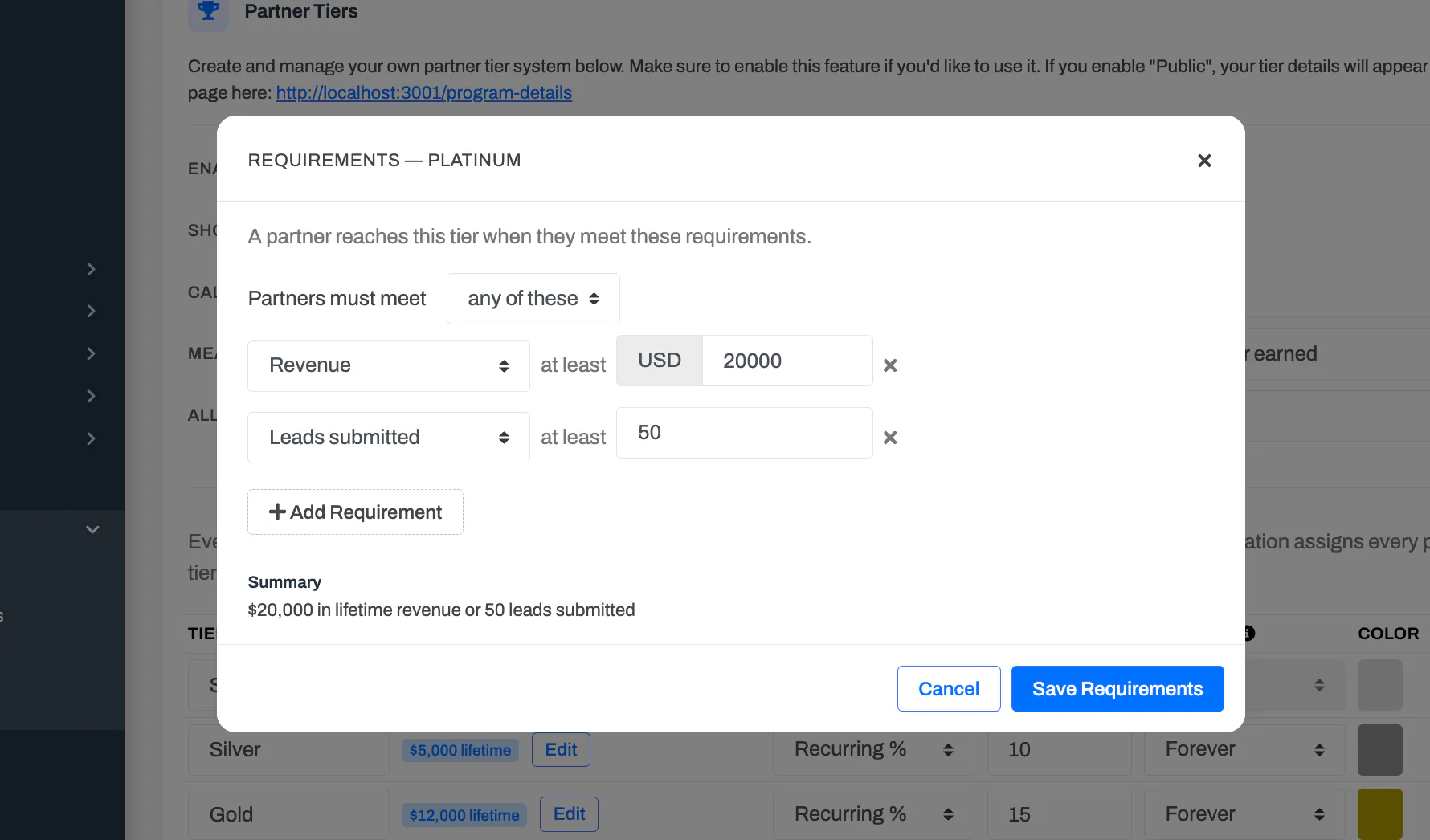
Each tier above the base tier has requirements, and partners move to the highest tier they qualify for. A requirement can be:
- revenue from the partner’s paid payouts
- leads submitted by the partner
- won deals
- certifications held by the partner’s users
A tier can combine several requirements, and you choose whether partners must meet all of them or any one of them.
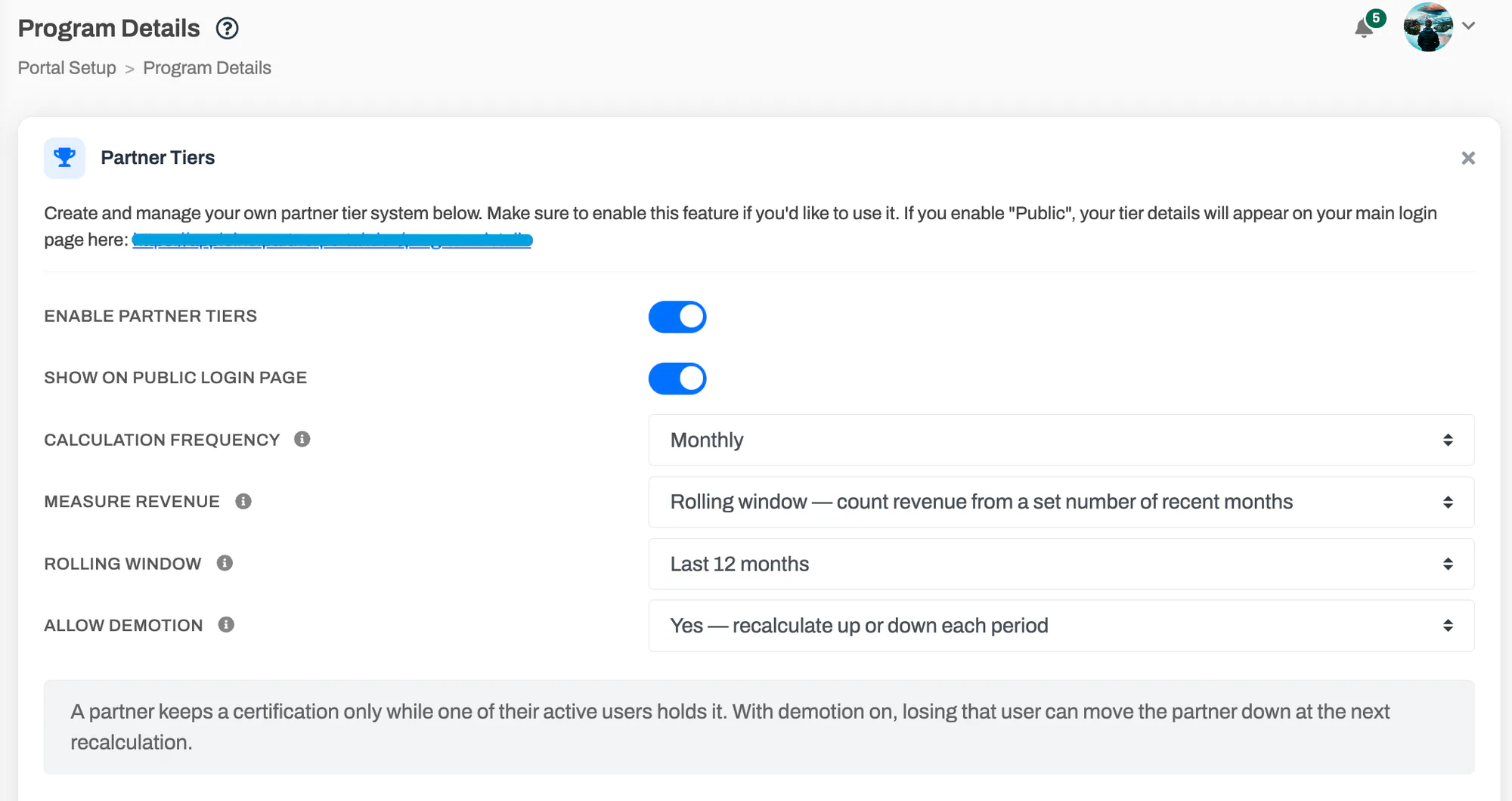
A few program-wide settings shape how it all behaves:
- How revenue is measured. Count revenue from the last full period only, over a rolling window of recent months, or for all time. Lead and deal counts are always all-time totals.
- Whether partners can be demoted. With demotion on, a partner who falls below their tier’s requirements moves down at the next recalculation. With it off, a tier is kept once earned.
- How often tiers recalculate. Monthly or quarterly, plus immediately whenever you save changes.
Before any change is applied, PartnerPortal shows you exactly which partners would change tier or commission, so you can confirm or cancel. That matters most for big changes, such as moving a whole program onto a rolling window.
Different commission rates for different partners
Tiers are the default, but most programs need exceptions. PartnerPortal handles them with a cascade of commission settings, where the most specific setting wins:
| Level | Where you set it | Use it when |
|---|---|---|
| Portal tiers | Portal Setup → Program Details | Setting the default program for everyone |
| Partner group tiers | The same card, with a group selected | A whole segment, such as affiliates or a region, should earn differently |
| Partner | The partner’s Commission Details | One partner is pinned to a tier or has custom terms |
| Lead | The lead’s commission settings | One deal was negotiated at a different rate |
| Commission record | The individual commission | Correcting a single payout after the fact |
At the partner level there are three modes. Automatic follows the tier rules. Pinned locks the partner to a chosen tier and follows that tier if you later change its rate. Manual gives the partner their own commission type, rate and duration that don’t affect anyone else.
What partners see
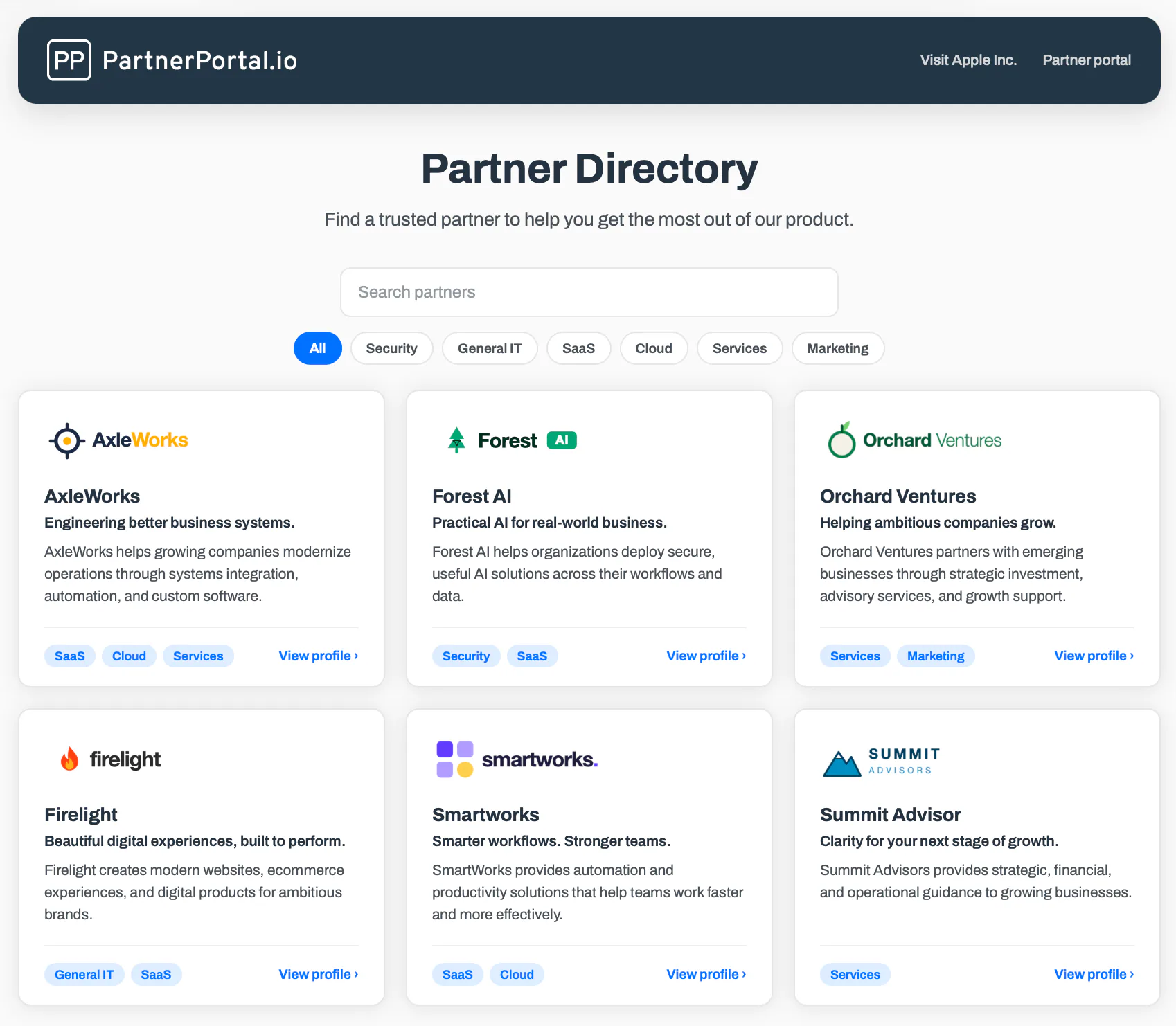
Partners see their own program on a program page in their portal, with each tier’s requirements and commission written out in plain language. A partner in a group with its own tiers sees that group’s tiers, never another group’s rates. You can also show your portal tiers on your public sign-in page, so prospective partners can see what they could earn before they apply.
Common partner tier setups
- Affiliates earn 10% while everyone else earns 30%. Put affiliates in a partner group, give the group one tier at 10% as its starting rate, and keep your portal tiers for everyone else. Add higher tiers to the group if affiliates should be able to climb.
- Gold requires a certified engineer. Add a certification requirement to the Gold tier. Pair it with a partner LMS course that awards the certification automatically when a partner user finishes.
- Tiers based on the last 12 months of revenue. Set revenue measurement to a rolling 12-month window and turn demotion on, so tiers reflect current performance rather than history.
- One strategic partner on special terms. Set that partner to Manual and enter their terms directly. The rest of the program is untouched.
Setting up partner tiers
Open Portal Setup → Program Details and find the Partner Tiers card. Set your program settings, configure the base tier, add higher tiers with their requirements and commissions, and save. To give a group its own tiers, pick the group in Showing tiers for and use Start from the portal tiers to copy your existing structure as a starting point.
The full walkthrough is in the docs: how to set up and manage commission tiers. There’s also a short video on setting up partner tiers and commissions. For the bigger picture on structuring rewards, including SPIFFs, MDF and rebates, see our guide to channel partner incentives.
Getting started
If you’re already a customer, the Partner Tiers card is in Portal Setup → Program Details. If you’re comparing PRM software, you can launch a free portal at partnerportal.io and set up your tiers in a few minutes.
If your program pays partners in a way we don’t cover yet, we want to hear about it.
Frequently asked questions
What are partner tiers?
Partner tiers are levels in a partner program, such as Bronze, Silver and Gold, that partners move through as they hit requirements like revenue or won deals. In PartnerPortal each tier carries its own commission, so a partner who reaches a higher tier automatically earns a better rate.
Can different partner groups have different commission tiers?
Yes. Any partner group can have its own commission tiers. Partners in that group are placed using the group's tiers, and everyone else uses the portal tiers. Partners only ever see their own tiers.
Can a partner tier require a certification?
Yes. A tier can require a partner to hold one or more of your certifications, for example a certified engineer on staff for Gold. A partner holds a certification while at least one of its active users does, and earning one moves the partner up straight away if they now qualify.
Can partner tiers be based on the last 12 months of revenue?
Yes. Set revenue measurement to a rolling window of 3, 6, 12, 18 or 24 months. Revenue can also be measured for the last period only or for all time. Lead and won-deal requirements always count all-time totals.
What commission types can a tier pay?
A recurring percentage paid every period, a one-time percentage, or a fixed amount. Recurring commissions can run forever or for a set number of payout periods.
Can one partner or one deal have a different commission rate?
Yes. Commission settings follow a cascade from the portal tiers to partner group tiers, then the partner, the lead, and finally the individual commission record. The most specific setting wins, so you can pin a partner to a tier, give them custom terms, or change the rate on a single deal.