· Erick Danzer · 3 min read
New: A Better Salesforce Partner Portal — Native Two-Way Deal Sync, Auto-Mapping, and Reliable Connect
Partner Portal offers seamless, native integration with your Salesforce CRM. Keep your sales team and partner program in sync.
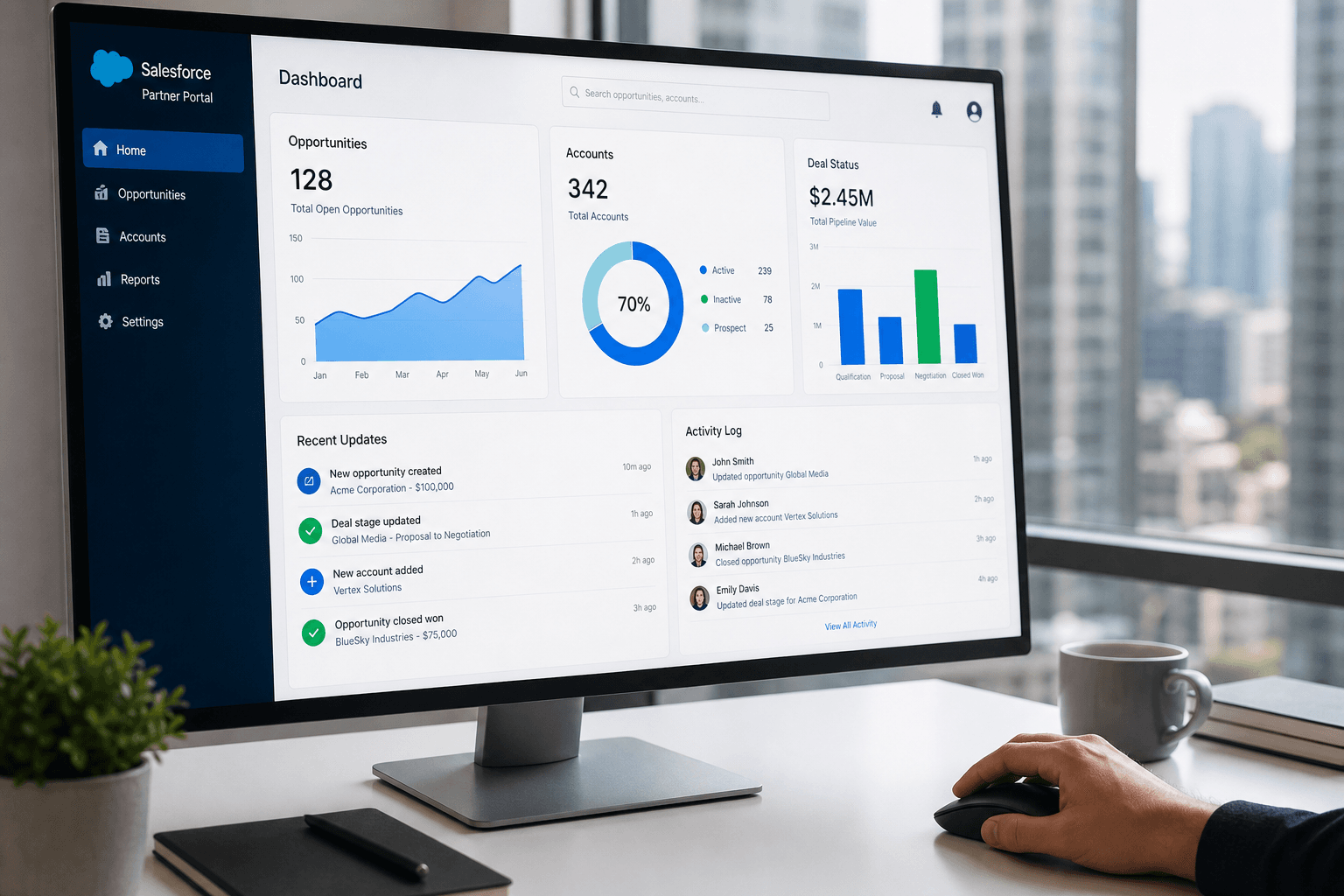
If your revenue team runs on Salesforce, your partner program should too. Partner-sourced opportunities should land in Salesforce like any other deal, and updates your team makes in Salesforce — stage changes, close dates, deal value — should flow back to your partners automatically, without spreadsheets or manual status emails.
We’ve put significant work into PartnerPortal’s native Salesforce integration to make exactly that happen, end to end. Here’s what’s new.
Two-way deal sync between Salesforce and your partner portal
The headline improvement: deal details now sync from Salesforce back into PartnerPortal in near real time.
When your sales team moves a partner-sourced Opportunity through your pipeline in Salesforce, those changes — stage, close date, amount — update the corresponding lead in PartnerPortal automatically. Your partners see accurate, current deal status in their portal without anyone re-keying it, and your team keeps working entirely in Salesforce.
Combined with the existing outbound path (registering and creating deals in Salesforce from PartnerPortal), the integration is now genuinely two-way.
Auto-mapping on connect — it works immediately
Connecting a CRM shouldn’t mean staring at a blank mapping screen. When you connect Salesforce now, PartnerPortal **automatically sets up sensible defaults so the integration works right away:**
Default objects mapped — Opportunity and Account, with the fields that matter (deal name, stage, close date, amount, company name, website)
Stages mapped to phases automatically — we pull your org’s Opportunity stages and map them to PartnerPortal deal phases, using Salesforce’s own won/lost flags so closed-won and closed-lost are detected reliably (not guessed from stage names)
Duplicate handling on by default — partner-sourced deals adopt existing Salesforce records instead of creating duplicates
You can customize all of it in the configurator, but you no longer have to in order to get started. A fresh connect lands on a working, pre-mapped setup.
You control when deal syncing turns on
Resuming inbound updates to live leads is something you should opt into deliberately, not have flipped on silently. So deal syncing into the portal is a **per-portal setting** you control in Salesforce settings:
New connections get deal syncing on by default, pre-mapped and ready
Existing portals can turn it on whenever they’re ready, from Settings → Salesforce — and we now surface an in-app prompt so it’s easy to find
This keeps you in control of exactly when partner-facing deal data starts updating from your CRM.
A more reliable connection
We also hardened the plumbing underneath:
More reliable connect — connecting no longer fails on Salesforce orgs with stricter streaming or permission configurations; credentials persist and the integration degrades gracefully instead of erroring out
Accurate close dates — an explicitly mapped close-date field is now respected and never overwritten by automatic stage logic
Cleaner event handling — unmapped objects and edge cases are handled quietly instead of piling up as errors, so the sync pipeline stays healthy
Who this is for
Any PartnerPortal customer running their sales pipeline in Salesforce — especially teams who want partner-sourced deals tracked in Salesforce alongside everything else, and partners who want an always-current view of their deals without asking for an update.
If you already have Salesforce connected, open **Settings → Salesforce** to review your mapping and enable deal syncing. If you’re evaluating PartnerPortal as the **PRM for your Salesforce stack**, you can launch a free portal at [partnerportal.io](https://partnerportal.io) and connect Salesforce in a few minutes.
As always, if there’s a Salesforce workflow you want to see supported, we want to hear it.